Joe Hackman, Founder & CEO

Joe’s TLDR Summary

Think of CIMCO MDM as a secure, manufacturing-focused document control system that acts as the single source of truth for all shop-floor production data, helping teams work faster while reducing costly mistakes.

Your Shop Floor Data Has A Chaos Problem. This is the Fix.

If the approved revision of a part program lives in one place, the setup sheet lives somewhere else, the tool list is on a network drive nobody fully trusts, and the drawings are in an email thread from three months ago, then your shop has a manufacturing data problem.

It is not a technology problem, yet. It is an organizational one.

But it will become a technology problem the moment someone runs the wrong revision on a tight-tolerance part, and you cannot trace why it happened.

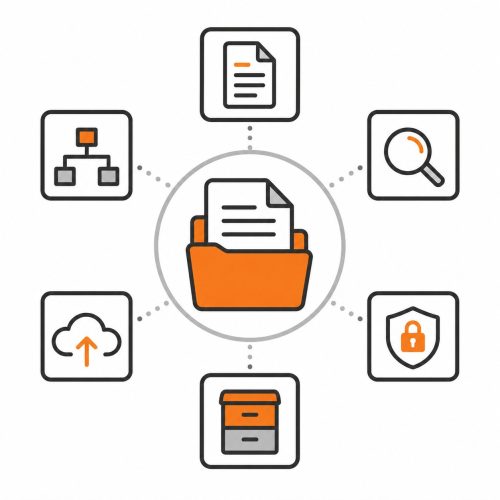
CIMCO MDM is a Manufacturing Document Management system that centralizes every production-related file into a single, structured, access-controlled database. NC programs, CAM files, setup sheets, tool lists, inspection documents, photos, drawings, anything that touches a job lives in one place. Organized for the way your operation actually works. With clear ownership, revision tracking, status controls, and automated workflows enforcing the process, instead of relying on people to remember to follow it.

This is the product that takes a shop from “we think we’re running the right version” to “we know we’re running the right version, and here is the audit trail to prove it.”

What MDM Actually Is

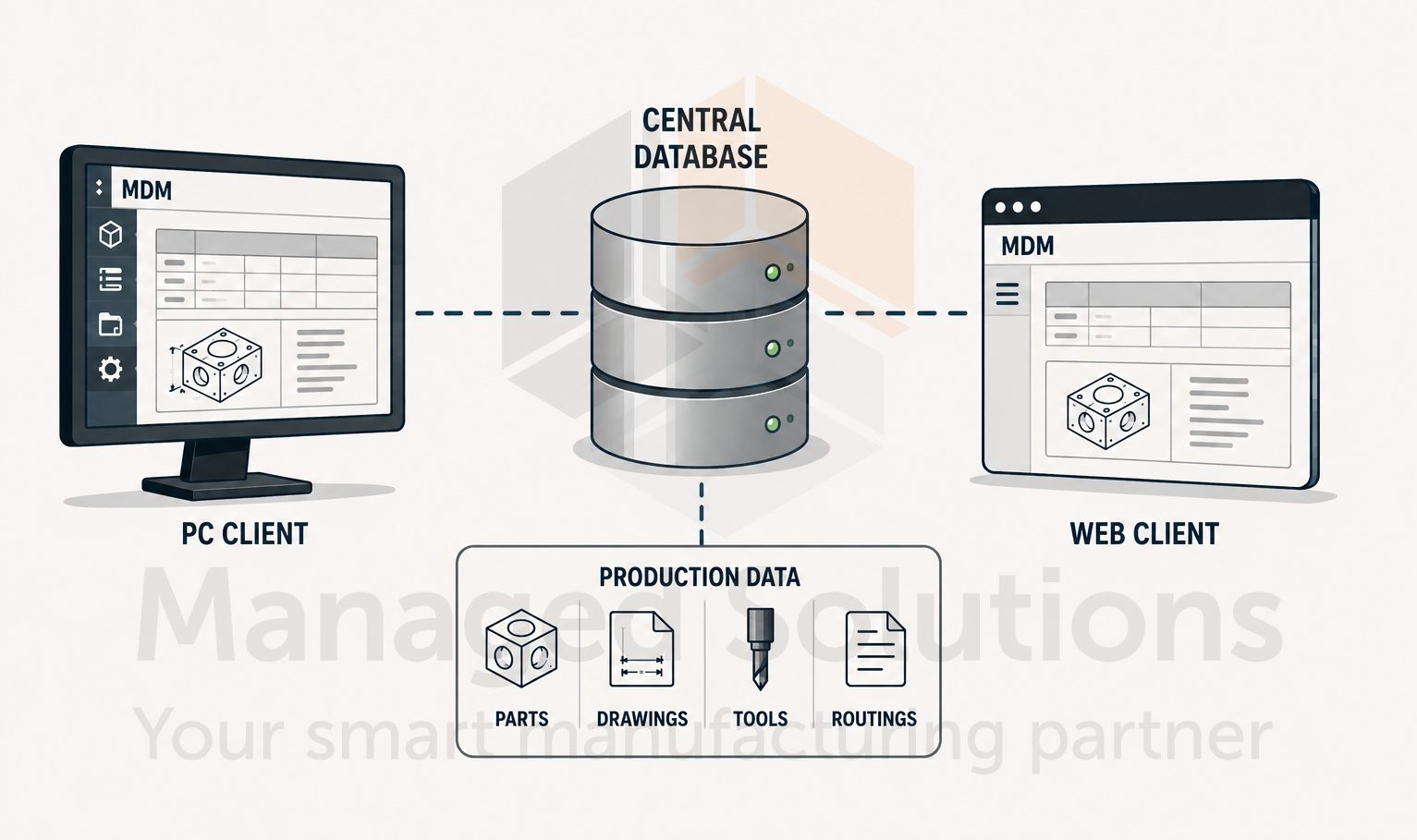
MDM is a client-server system with a PC client and a web client. Both are connected to a central database which stores your production data.

The structure inside that database is not fixed. It is configured to match the way your shop organizes work, whether that is by part number, customer, project, machine group, or some combination.

Levels, which are MDM’s term for folders in the hierarchy, can be set up to enforce which file types live where, who can access them, what approval steps are required before a file can be transferred to a machine, and what happens automatically when a status changes.

The documentation is candid about this. MDM is a complex system requiring deep understanding and a well-established plan before configuration begins.

This is not a criticism of the product, but an accurate description of what a serious manufacturing data management system needs to be. The flip side of that complexity is extraordinary flexibility.

No two shops run exactly the same way, and MDM can be configured to match almost any workflow rather than forcing a shop to adapt to a rigid structure.

This configuration work is where Managed Solutions can add the most value. We have been implementing MDM installations for years, across a wide range of shop types and sizes. We know how to translate a shop’s existing processes into a functional, maintainable MDM structure the team will actually use.

The Level Structure: Where Everything Starts

Before any files go into MDM the level structure has to be right.

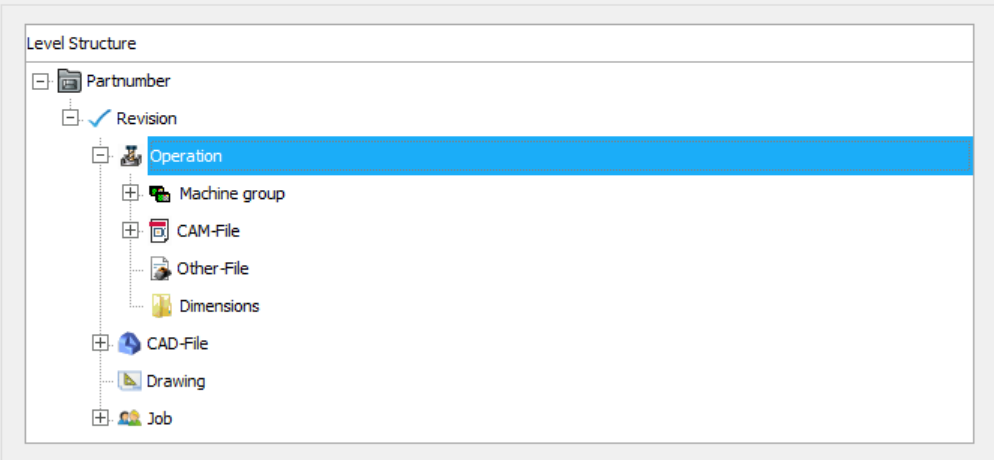
A level in MDM is the equivalent of a folder in Windows, but with the ability to enforce what can go in it, who can touch it, and what rules apply when files are added, modified, or transferred. The top level is particularly important to get right from the start because changing it later has immediate effects on everything below it.

A typical structure might have a root level for part numbers, with sub-levels for CAM files, NC programs, setup sheets, tool lists, and associated documents. 

Each of those levels can be configured independently: the NC file level might enforce machine group assignment and transfer limits, the CAM file level might require check-out before editing, and the setup sheet level might be read-only for operators but writable for engineers.

The structure reflects the production workflow rather than just mimicking a folder tree.

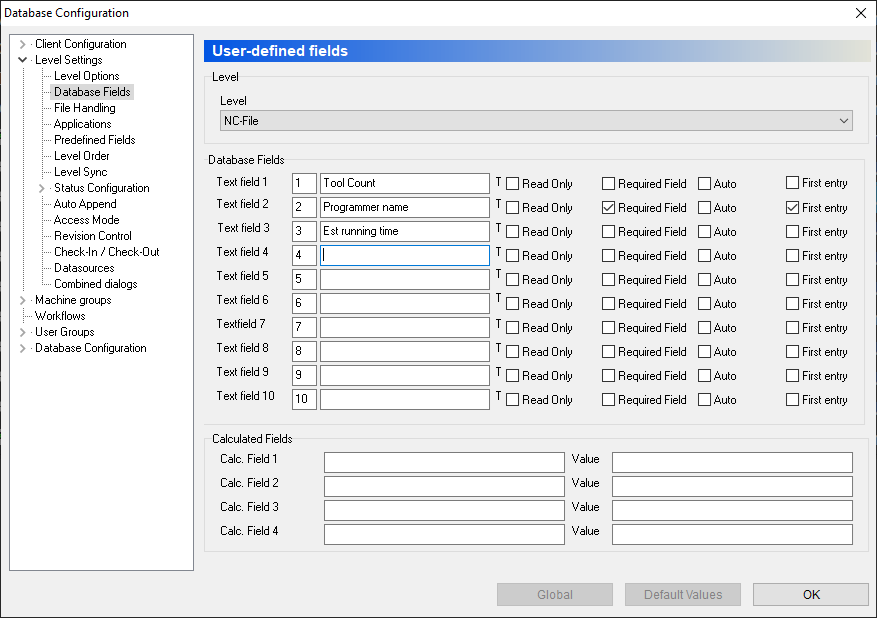
MDM supports up to nine custom database fields per level, which means search-relevant metadata like customer, material, drawing number, revision, and work order can be attached to every record and used to filter and retrieve files from anywhere in the database.

Finding a program is a search, not a folder dive.

Status, Access Modes, and Who Controls What

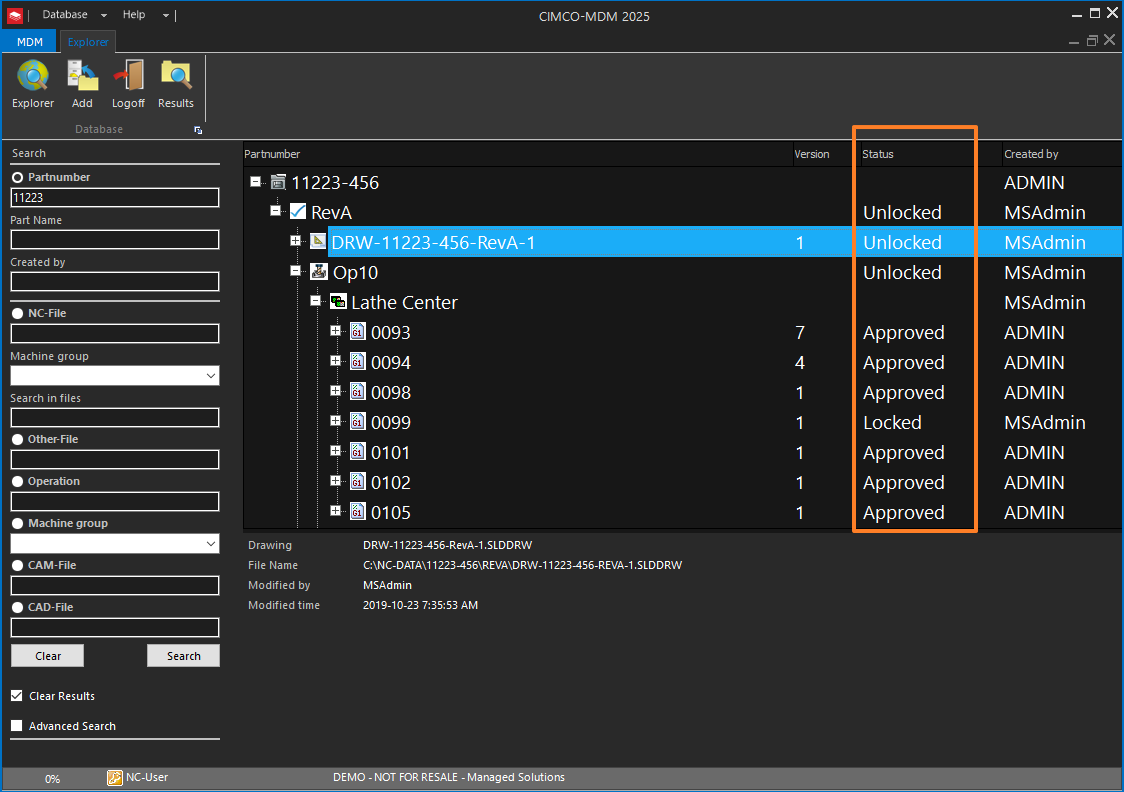
Status is one of the more powerful control mechanisms in MDM, and one of the areas that separates a well-configured installation from a basic one. Every file level can have a defined set of statuses, each with specific rules about what can and cannot be done while that status is active.

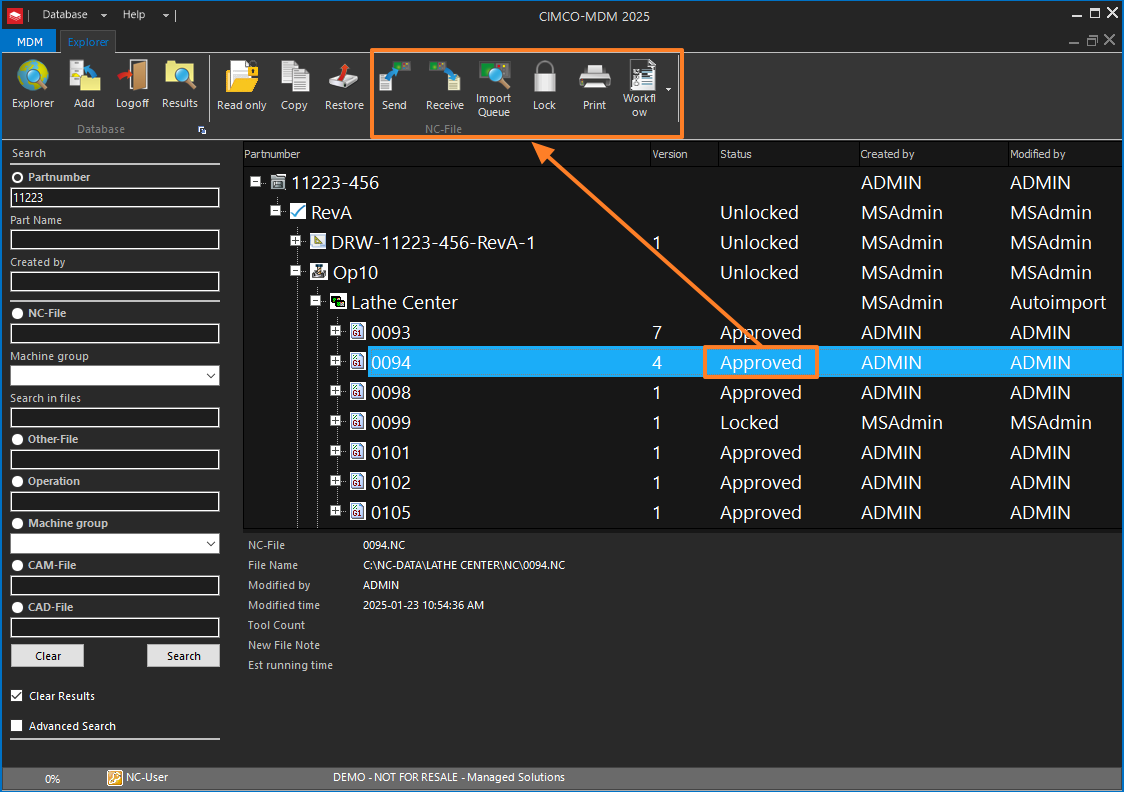
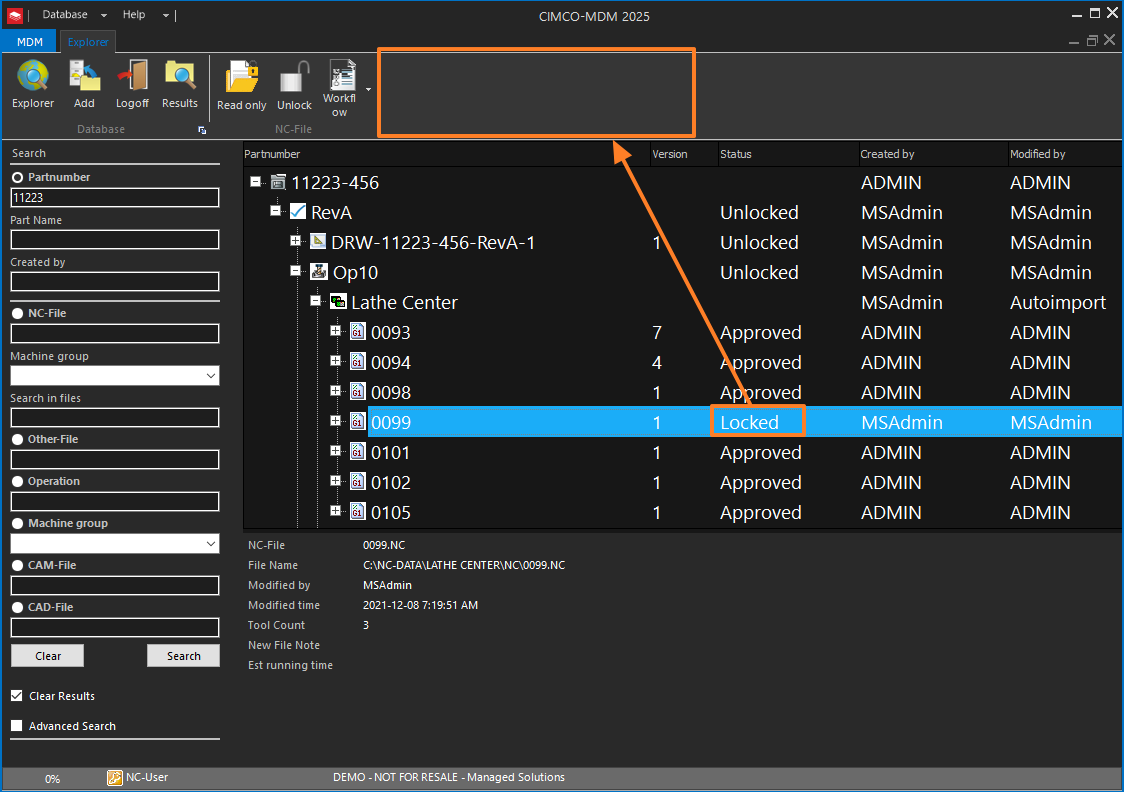
An NC program might move through statuses like In Modification, Under Review, Approved, and Locked. When a program status is Approved, the NC file can be sent to the machine. When it is Locked, it cannot be edited or transferred. When it is In Modification, only the programmer assigned to it can make changes.

The transition between statuses can be restricted to specific user groups, require a comment, trigger an email notification, and automatically trigger a Workflow.

Access Modes add another layer on top of status. An Access Mode defines a specific set of permissions which override the standard User Group settings when applied to a status.

This is how you enforce fine-grained control for edge cases, for example ensuring a user who normally has full edit rights cannot modify an NC program once it has been flagged as a first-article candidate, regardless of their group membership.

Real-world situation:  A shop running medical components under ISO 13485 needed documented evidence that no program could reach a machine in an unapproved state. MDM’s status configuration, combined with transfer limits that only lift when a program reaches Approved status, provided exactly that control and generated the audit trail required for their quality process without adding any manual steps to the programmer’s workflow.

Tech Tip: Planning Your Level Structure Before You Touch the Configuration

The single most impactful thing to be done before an MDM implementation begins is arriving at a clear, agreed-upon, level structure on paper before anyone opens the Database Configuration.

MDM’s own documentation is explicit about this. Once set, the top level is difficult to change. Changing the structure after data is in the system will have an immediate effect on existing records.

In practice, this means sitting down before programming begins, with key stakeholders across programming, engineering, operations, and quality and mapping out every type of file the shop produces, where it currently lives, who needs access to it, and what approval steps exist (or should exist) for it.

The questions worth working through before configuration starts are:

           1.)  What is the primary way the shop organizes work?

           2.)  By part number, by customer, by machine, by project?

           3.)  How many machine groups are there, and do different machines have different file naming conventions or transfer requirements?

           4.)  What does the approval process for a new or revised program actually look like, and who has sign-off authority at each step?

The answers to these questions define the level structure, the status configuration, the user groups, and the access modes.

Getting them right upfront means the MDM installation reflects the shop’s real workflow from day one. Getting them wrong means a painful reconfiguration that disrupts live data, which is the scenario everyone wants to avoid.

Kevin Payne, CNC Automation Specialist

PRO TIP FROM THE SHOP FLOOR:

One of the more useful configuration options for shops with a consistent part structure is Combined Dialogs.

This feature lets two or more level-specific add dialogs be combined into a single dialog, so when a user adds a new part at root level, MDM presents one unified form that collects all the information needed across multiple sub-levels at once.

Instead of a user adding the root part record, then navigating into it to add a CAM file sub-level and then an NC file sub-level, the entire structure can be created in a single interaction.

In a well-configured implementation, adding a new part number to MDM means filling in one dialog: part number, customer, machine group, drawing number, and any other required custom fields.

MDM then creates the root record and all configured sub-levels simultaneously, each pre-populated with the relevant data from that single entry.

Combined with Auto Append, which handles automatic creation of the sub-level folder structure, the result is a new part is fully scaffolded in the database all in the time it takes to fill out one form.

No navigating, no manual sub-level creation, no missing folders discovered later when someone tries to add a file and finds the level does not exist yet.

Revision Control: Every Change is Accounted For

MDM’s revision control system maintains a complete history of every file at configured levels.

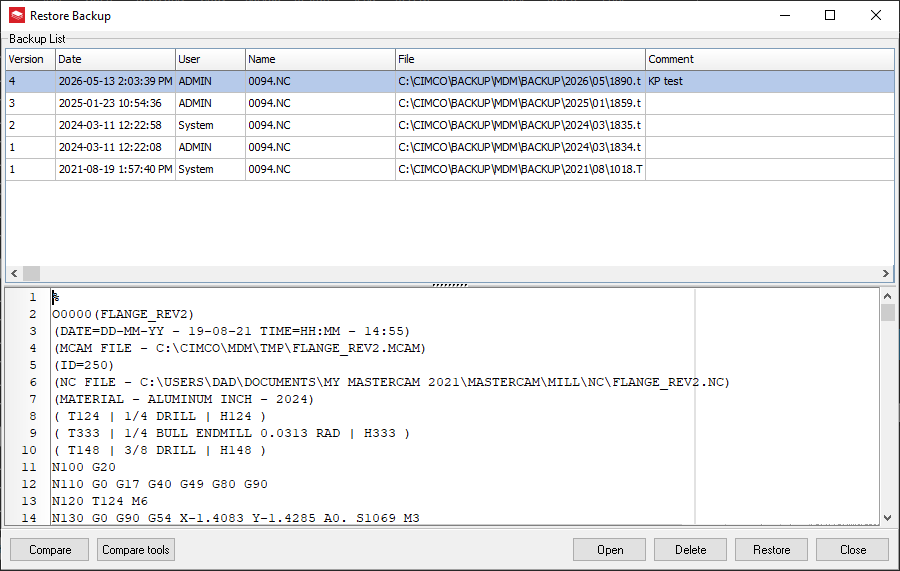
When a new revision is created, MDM copies the existing level and all its sub-levels to a backup revision folder and opens the new working revision for editing. The previous revision remains intact and accessible, so the history of every program, from first cut to current approved version, is preserved and retrievable.

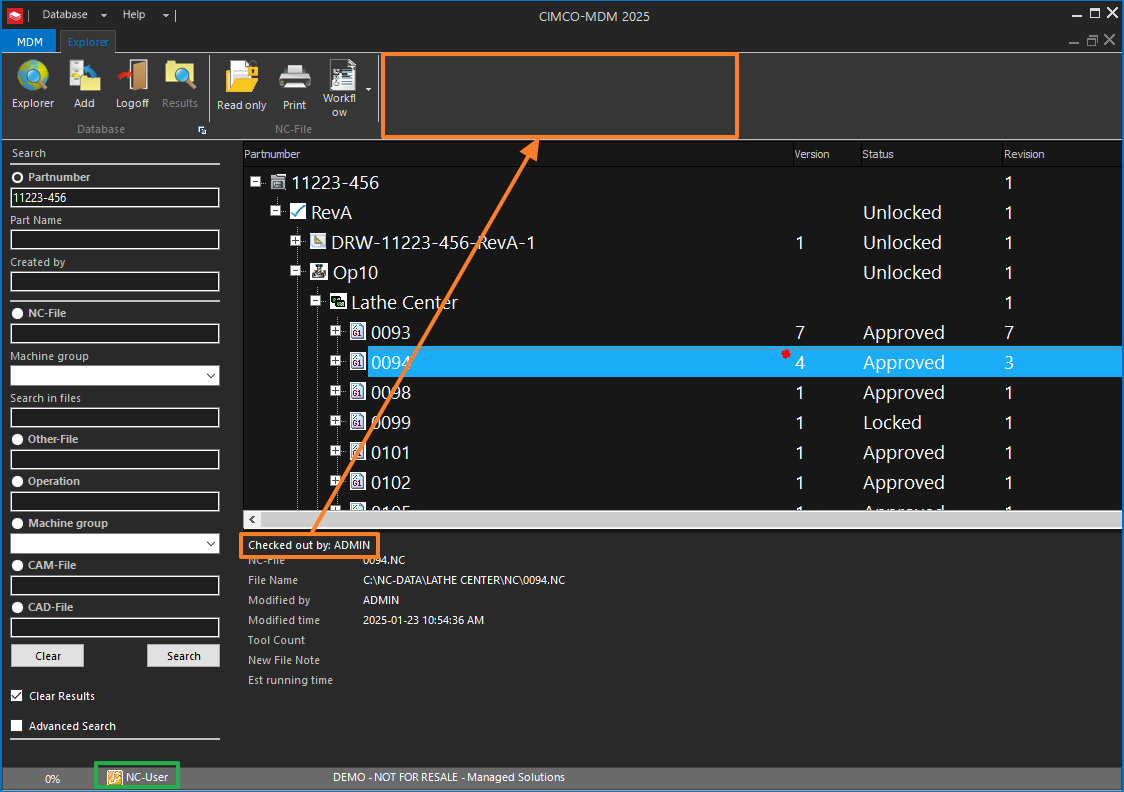
Check-in and check-out, when configured, enforces that only one person edits a file at a time and that changes are explicitly committed back to the database rather than saved over network paths. When a file is checked out, it is marked in the system, and other users will see that it is in use. When it is checked in, MDM can be configured to prompt for a change comment, update the status, trigger a notification to a reviewer, and log the entire transaction.

This is the mechanism that closes the loop on the most common quality audit finding in CNC shops: “We could not confirm the program running on the machine was the approved version.”

With MDM’s revision control, transfer limits, and status configuration working together, that question has a documented answer.

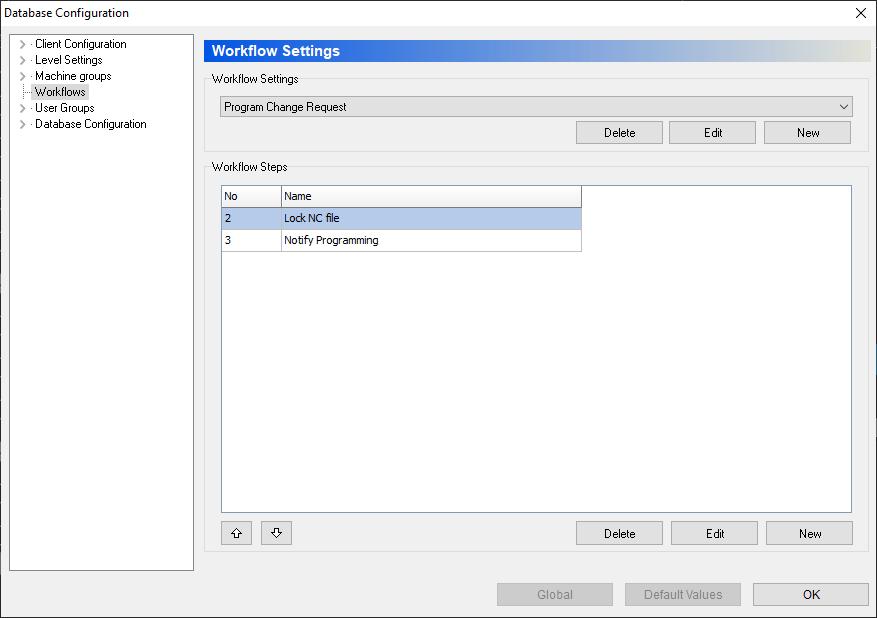
Workflows: Automating the Process Steps That Currently Rely on Memory

A Workflow in MDM is a configured sequence of steps which MDM executes automatically in response to a trigger.

Triggers can be a status change, a barcode scan, a scheduled time, an MDC message, or a user action. The steps in a workflow can change file status, send internal messages or emails, generate XML or text files for ERP integration, run external applications, send or receive NC programs from machines, execute SQL queries, and more.

The practical application of this for most shops is eliminating manual handoff steps that currently rely on someone remembering to do something.

When a programmer checks in a revised NC program and marks it Ready for Review, a Workflow fires automatically: the program status changes, the quality engineer gets an email with a link to the file, and the program is locked so it cannot be transferred while review is pending.

When the quality engineer approves it, another Workflow fires: the status changes to Approved, the transfer limit lifts, and the supervisor gets a notification that the program is ready for production.

None of this requires anyone to manually update a spreadsheet, send a separate email, or remember to unlock a file.

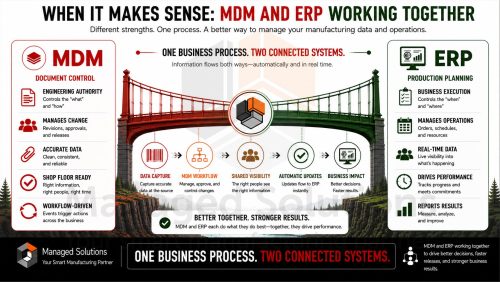
The same Workflow capability can generate a text or XML file that updates an ERP work order when a program reaches Approved status, effectively closing the loop between the programming department and the production scheduling system without a manual data entry step in between.

CAM Integration: From Design to Floor Without the File Shuffle

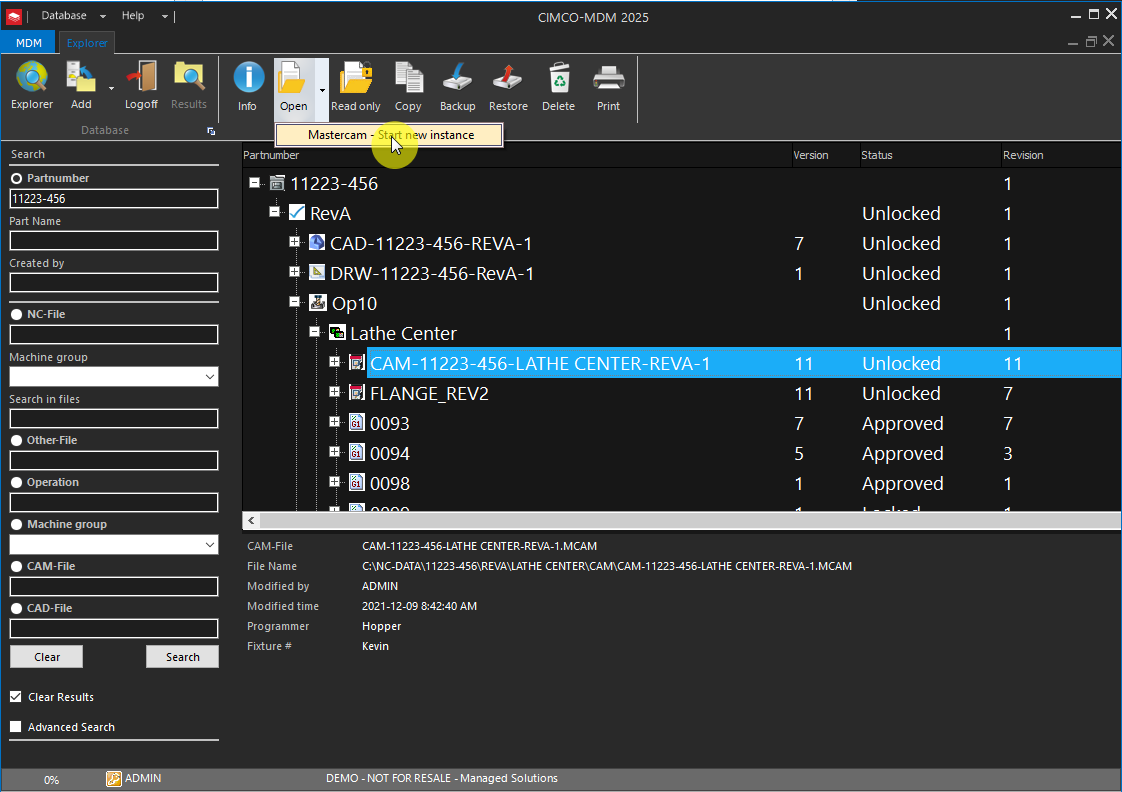
MDM integrates directly with major CAM systems including Mastercam, TopSolidCam, SolidCAM, Edgecam, and others.

When the integration is configured, a programmer opens a CAM file directly from MDM into their CAM software, makes changes, and saves it back to MDM on check-in. The NC file generated by the post processor can be automatically imported into MDM at the same time and associated with the CAM file it came from, all in one operation.

This eliminates the file-handling steps that introduce errors: manually locating the CAM file, opening it from a shared drive, posting to a local folder, manually dragging the NC file into the right database location, and hoping the association between the CAM file and the NC program is documented somewhere. With the MDM-CAM integration configured, those steps do not exist.

For shops running Mastercam specifically, we have published a two-part walkthrough of the setup process on our site:

The integration extends to automatically generating tool lists and setup sheets from the CAM file’s operations manager. This means the setup documentation is generated from the source of truth rather than typed manually.

The Bigger Picture: MDM as the Spine of a Connected Shop

MDM does not operate in isolation. It gets significantly more capable alongside other CIMCO products.

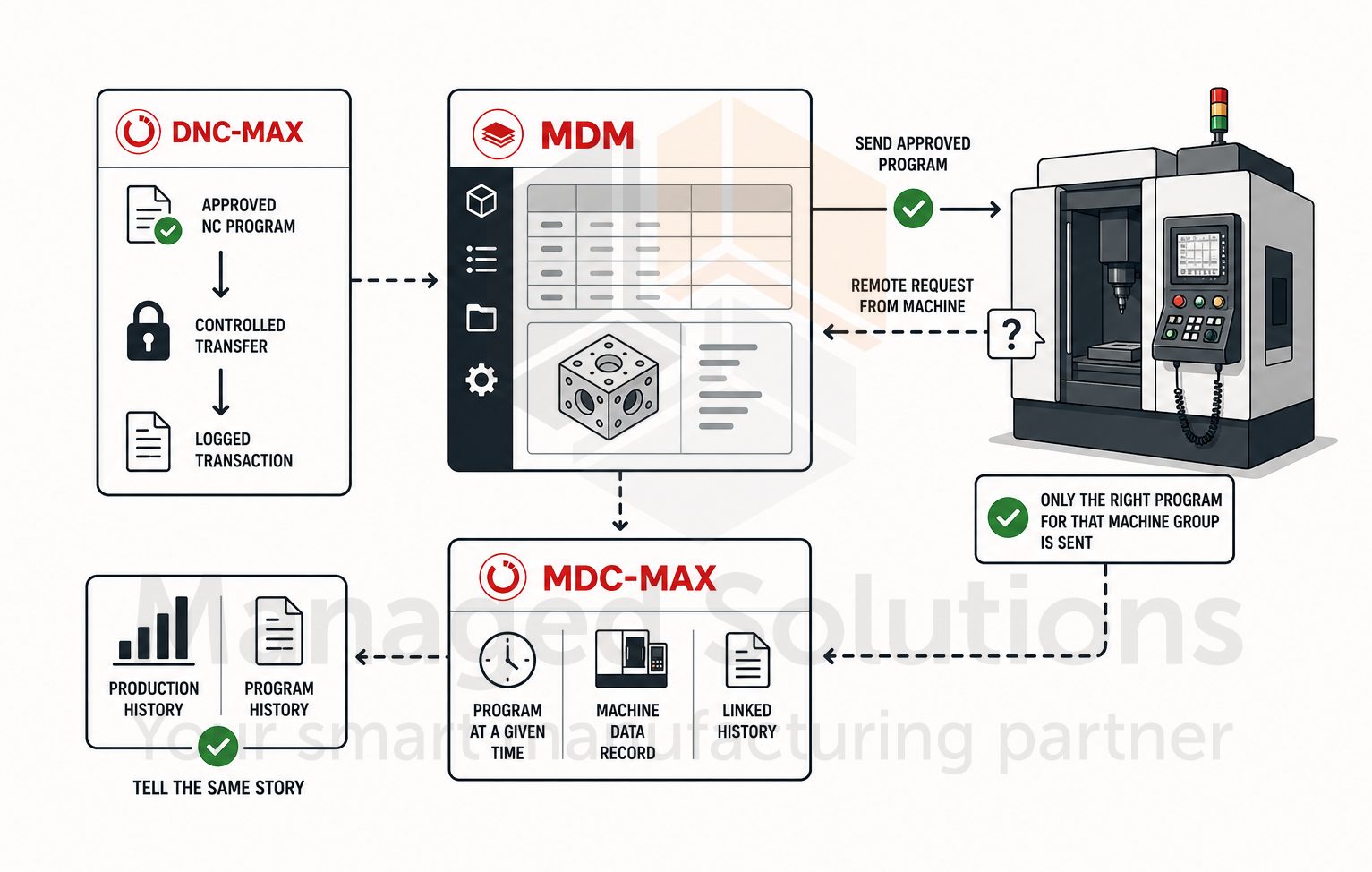
When DNC-Max is in the picture, NC programs are transferred from MDM to machines through the same controlled, logged channel. The remote request feature lets operators request programs from the machine control while MDM ensures only the approved version of the right program for that machine group is sent.

When MDC-Max is running, the program that ran on a machine at a given time is tied to the machine data record, so production history and program history tell the same story.

The multiplier effect is real. Each product in the CIMCO stack becomes more capable in the presence of the others. MDM sits at the center of that as the document management layer which every other system can reference.

If you want to better understand how these products connect at a higher level, our article CIMCO Software as Industry 4.0 Middleware clearly lays out the architecture.

If your shop is thinking about MDM specifically to address a quality or compliance challenge, our article 10 Ways to Eliminate Waste in Advanced Manufacturing Using CIMCO Software covers exactly how MDM addresses defect and process waste from a lean manufacturing perspective.

KEY HIGHLIGHTS

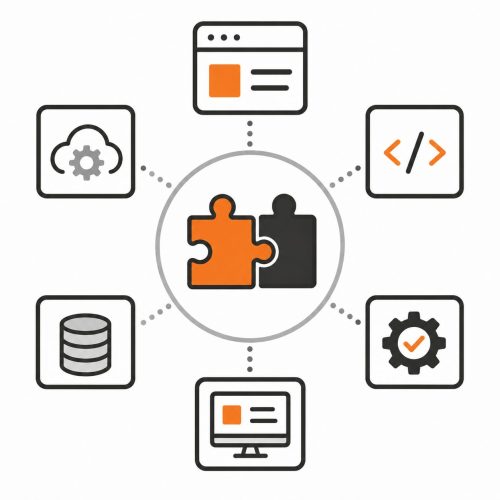
CIMCO MDM software is a scalable solution which molds to diverse requirements. Featuring a robust server foundation complemented by Windows and Web clients, it integrates seamlessly with other CIMCO products such as MDC-Max, DNC-Max, and Scheduler.

CENTRALIZED DATA HUB

  • MDM consolidates all production documents, ensuring easy access to vital data.
  • It integrates seamlessly with existing tools like editors, CIMCO DNC/MDC, and leading CAD/CAM systems.
  • Additionally, it’s compatible with edge devices to provide an even more comprehensive experience for users across all legacy and current manufacturing equipment.

DOCUMENT MANAGEMENT

  • Always retrieve the right version of a document.
  • Dynamic documents adapt immediately to data or image changes.
  • Strategic and comprehensive information security by dictating document storage locations and access.
  • Embrace an eco-friendly ethos with a marked reduction in paper use.

ENHANCED FUNCTIONALITIES

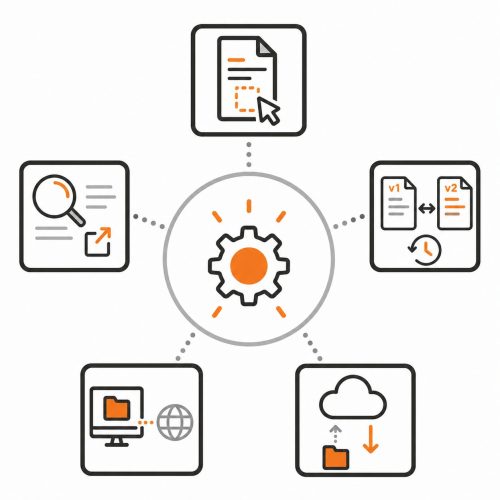
  • Intuitive drag-and-drop file addition.
  • Advanced search capabilities with results that can be easily exported.
  • A meticulous version control system for every document with options for side-by-side comparisons and reversion if necessary.
  • Enhanced support for network-based machine file transfers with provisions for remote requests.

SOFTWARE & SYSTEM INTEGRATION

  • Full integration with diverse software like CAD/CAM, offering previews and direct NC code storage in MDM.
  • Support for virtually any file type including complex multiple file containers with version control down to individual files.
  • Comprehensive logs and user permissions for rigorous tracking and security.
  • Automated workflows triggered by actions such as status changes in files.

Ready to Get Started?

CIMCO MDM is available as a perpetual license. Getting the implementation right from the start requires the kind of planning described above. This is exactly the kind of engagement Managed Solutions specializes in.

If your shop is ready to move from a shared drive to a real manufacturing data management system, or if you are already running MDM and want to expand what it is doing, contact us directly.

Our extensive experience with these implementations has shown us what works, what to avoid, and how to get your team successfully using the system from day one, not six months down the road.

The right program, in the right hands, at the right time. That is what MDM makes possible.

Start your free 30 day Demo of CIMCO products today.

Other MDM Resources