
If you have ever had a machinist edit a program at the machine control and send it back without anyone in the programming department knowing about it, you already understand why the Import Queue exists. It is the feature that closes the loop on one of the most common quality gaps in CNC shops: programs leaving the database approved, getting modified on the floor, and coming … [Read more...]
What is CIMCO DNC-Max? A Smarter Way to Manage CNC Communication
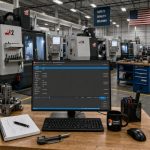
In today’s manufacturing environment, efficiency on the shop floor often comes down to how well your machines communicate. Moving CNC programs quickly, reliably, and securely is no longer a “nice to have.” It is essential. That’s where CIMCO DNC-Max comes in. CIMCO DNC-Max is a powerful DNC communication software designed to manage and control the transfer of CNC programs … [Read more...]
Using CIMCO Machine Simulation to Validate Legacy CNC Programs
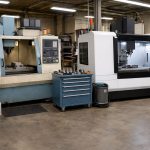
Many shops still rely on CNC programs that were written years, or even decades ago. These legacy CNC programs may have run successfully on older equipment, but problems can arise when those same programs are moved to newer machines. Differences in machine kinematics, tool setups, travel limits, or work offsets can introduce unexpected issues. Running an old program on a … [Read more...]
Introduction to the CIMCO Edit Tool Manager
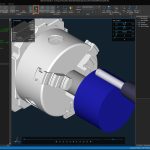
[Click image to enlarge.] If you've ever had a simulation show the wrong tool geometry or found yourself digging through NC code just to figure out what tooling is actually in the program, the CIMCO Edit Tool Manager is going to make your life easier. It's the central hub for defining, organizing, and verifying your tool assemblies, and it ties directly into both … [Read more...]
Introduction to CIMCO Machine Simulation
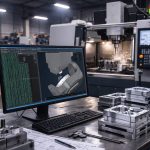
For CNC shops, a mistake discovered on the machine is a mistake which has already cost you something - whether that's a scrapped part, a damaged tool, a broken fixture, or worse. CIMCO Machine Simulation is designed to move that discovery to your PC, before any material is touched or any machine is at risk. This post provides an overview of what CIMCO Machine Simulation is, … [Read more...]
Local Support for Arizona Manufacturers — Smart CNC & Data Driven Solutions

Bringing Smarter Manufacturing to the Southwest At Managed Solutions, we believe manufacturing success is built on more than just machines. It’s built on people, data, and strong partnerships. Last month, we announced the relocation of our CNC automation specialist, Kevin Payne, from Southern California to the greater Phoenix area. This move isn’t just about geography, … [Read more...]
How CIMCO MDC-Max Makes Lights-Out Manufacturing Work

In theory, lights-out manufacturing sounds great. You load the machines, head home for the night, and wake up to a pile of finished parts. But if you’ve ever done it, you know the truth. All it takes is one broken tool or unexpected stop at 11:30 p.m. to turn an entire night into lost production. That’s the challenge most shops face. And it’s exactly why manufacturers … [Read more...]
Arizona Satellite Office Now Open

We've Opened a Satellite Office in Mesa, Arizona We're excited to announce the opening of our new Managed Solutions satellite office in Mesa, Arizona! Our CNC automation specialist, Kevin Payne, recently relocated from San Diego to establish a local presence in the greater Phoenix area and beyond. Kevin brings over 20 years of machining expertise to our Arizona clients. His … [Read more...]
Troubleshooting the CIMCO DNC-Max Server Service
CIMCO DNC-Max is a mature and incredibly stable platform. Unfortunately in the Windows operating environment there are many factors that can impact the service. When this happens your CNC communication can be impacted. In this article, we’ll explore the most common causes behind DNC-Max service interruptions and walk you through effective troubleshooting techniques using both … [Read more...]
Streamline Your Manufacturing with CIMCO MDM
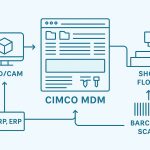
Are you tired of drowning in a sea of paper setup sheets, chasing down the latest NC program versions, or dealing with costly errors from unapproved files? CIMCO Manufacturing Data Management (MDM) is here to transform your production process. Designed for manufacturers who demand precision and efficiency, CIMCO MDM is a paperless data management system that centralizes, … [Read more...]