
This Tech Tip explains how to map monitoring data in CIMCO MDC-Max.
A status screen tells you which machine is down. The Shop Floor screen tells you where it is.
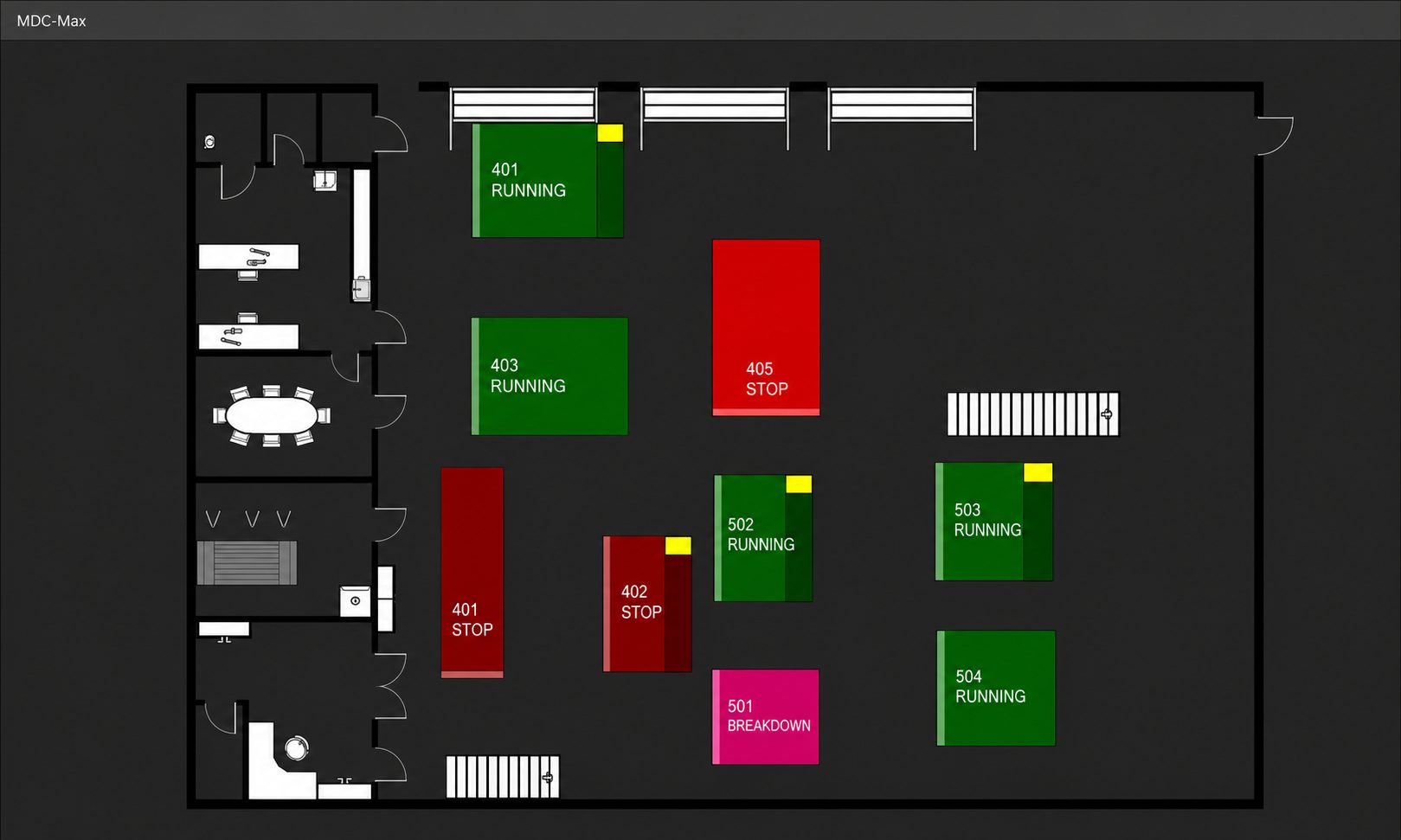
The factory floor plan is loaded as an SVG background, machines are placed to match their physical positions, and machine status becomes spatial. Instead of scanning a list of machine names, you are looking at your shop. You can see at a glance which cell or department has an issue, walk straight to it, and understand the context around it — what is running nearby, what is not.
Each Shop Floor is linked to a live Status Screen configuration, so the data is real-time. Hover over any machine to see its current status and monitoring data without leaving the view.
For shops with multiple cells or departments, this is a meaningfully faster way to read the floor than scrolling through a flat list of machine names.
Want to see what MDC-Max looks like when your whole shop floor is visible at once? Check out our full CIMCO MDC-Max product overview to see everything it can do.
If you’d like help configuring your CIMCO MDC-Max environment, please contact us. We’re happy to help!
