CIMCO Edit edits, simulates, and sends NC programs. What it does not do is generate them from geometry. If a programmer needs to hand-code a pocket, a contour, or a drilling pattern, they are typing coordinates, calculating offsets, and hoping the math is right. If the shop has a CAM seat, it is likely tied to a specific workstation, shared across more people than it has licenses for, and overkill for the kind of quick 2D work that comes up on the floor every day.
CIMCO CNC-Calc is the add-on that gives CIMCO Edit a fully integrated 2D CAD and CAM environment inside a dedicated tab in the editor. Draw the geometry, define the operation, and the NC code exports directly into a new program window in CIMCO Edit, where it can be backplotted, edited, and sent to the machine without ever leaving the application.
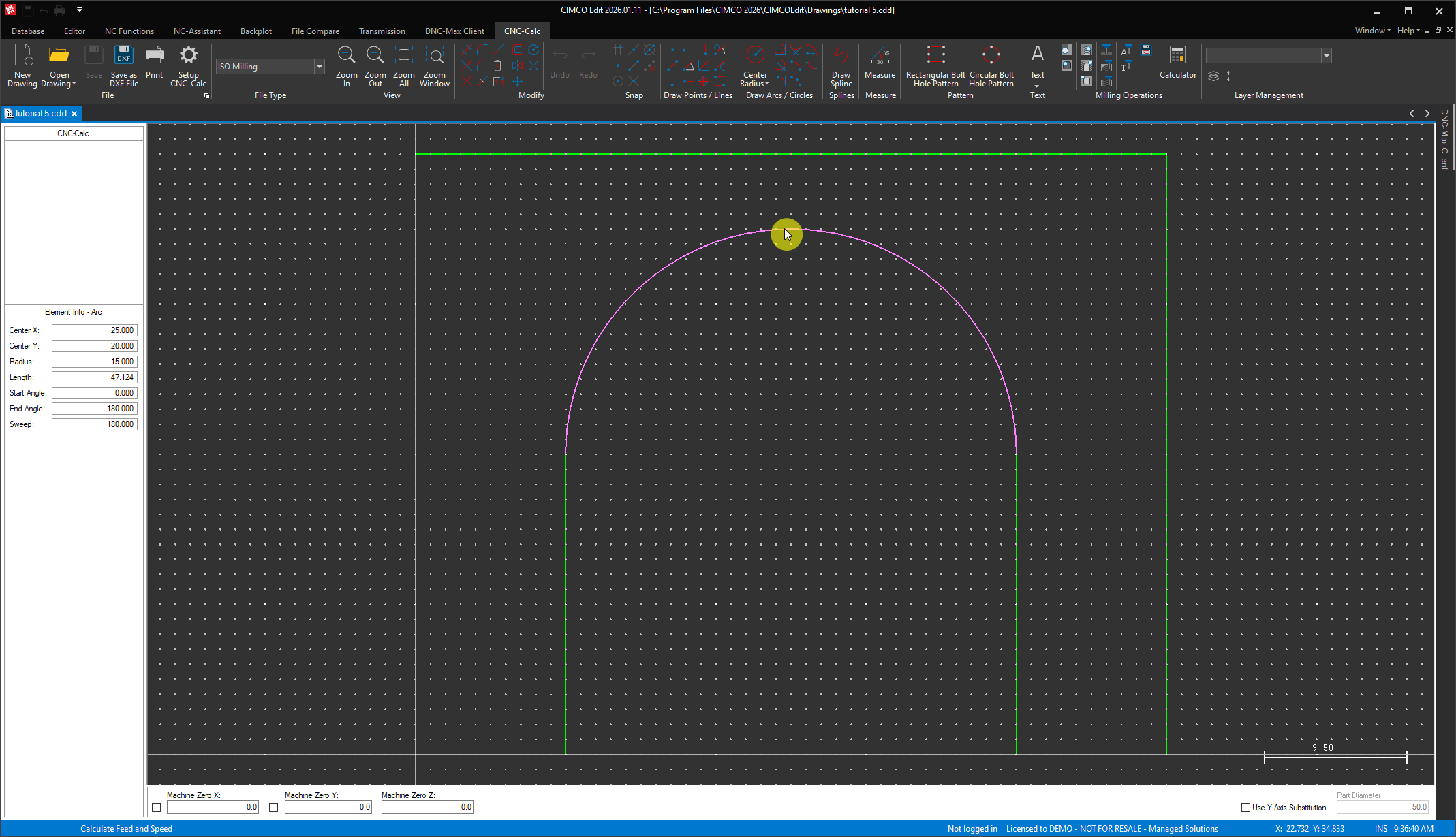
Here is what changes when CNC-Calc is added to a CIMCO Edit installation.
The Editor Gains a 2D CAD Environment
With CNC-Calc installed, a new tab appears in the CIMCO Edit ribbon with a complete 2D drafting toolkit. Lines in every configuration, horizontal, vertical, polar, perpendicular, parallel, bisector, and tangent variants. Arcs and circles defined by center and radius, three points, or tangent relationships. Rectangles with corner radii. Splines. Full modification tools include trim, fillet, chamfer, offset, mirror, translate, rotate, and scale. Snap modes for grid, endpoints, midpoints, centers, and intersections.

Click to enlarge image.
DXF import means geometry that already exists in a CAD system does not need to be redrawn. Open a DXF file directly in CNC-Calc and it becomes the basis for toolpaths immediately. For shops that receive drawings from customers or engineering as DXF files, that alone removes a manual redrawing step that currently eats time and introduces transcription errors.
Two-Dimensional Geometry Becomes NC Code in One Step
Once geometry is drawn or imported, selecting a machining operation and clicking Export to Editor sends the generated NC code directly into a new program tab in CIMCO Edit. There is no intermediate file, no copy-paste, no format conversion. The code opens in the editor exactly where it would be if it had been typed manually, ready for backplot verification and transfer.
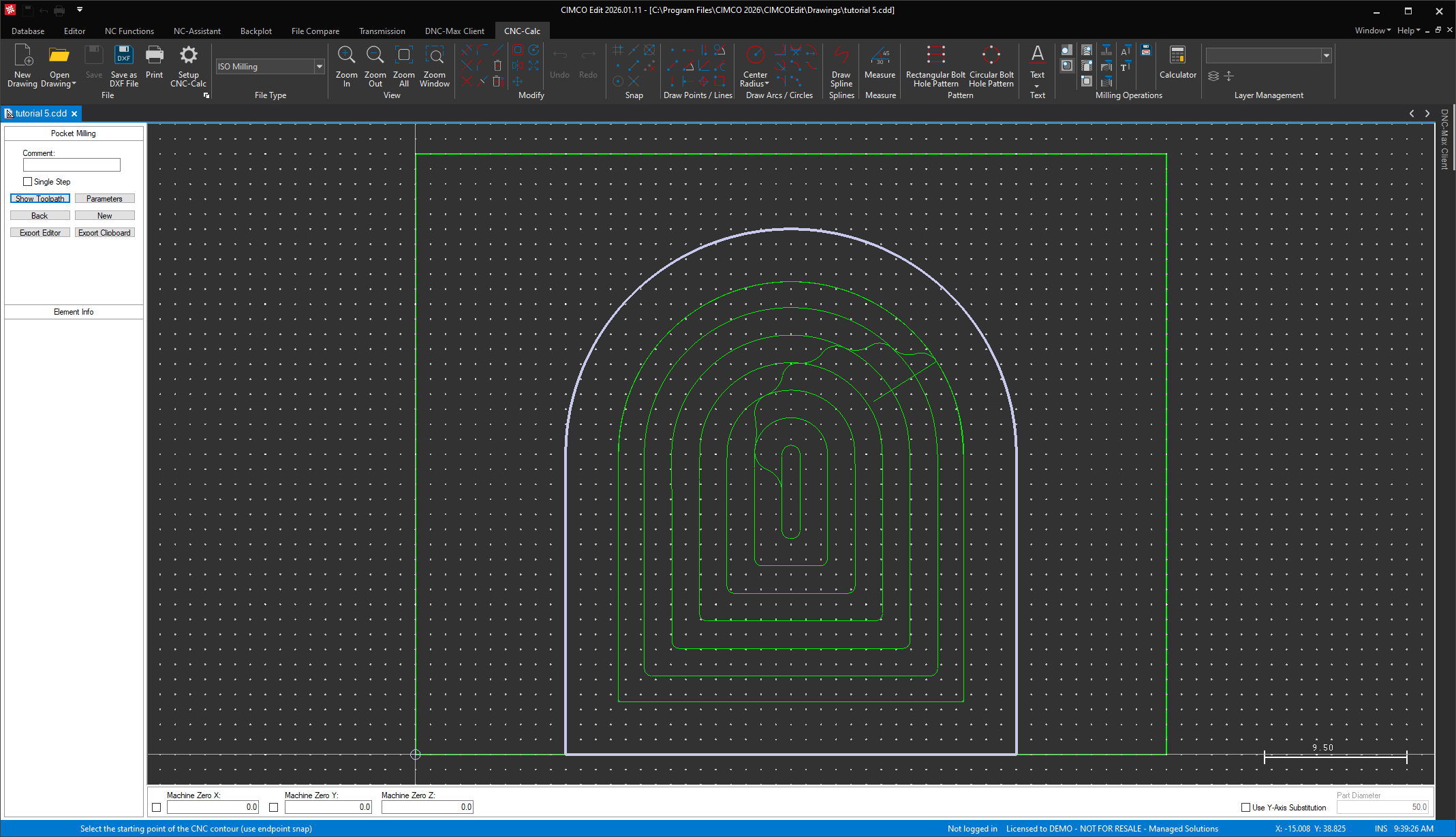
The milling operation set covers face milling, pocket milling with islands, contour milling, constant cut inside-out and outside-in, drilling, helix drilling, thread milling, and letter milling in both simple stroke and TrueType fonts. The turning operation set covers roughing, facing, finishing, grooving, end drilling, threading, cutoff, and constant cut turning. Each operation has a full parameter dialog: depths, stepovers, lead-in and lead-out, cutting method, stock to leave, roughing and finishing passes, and retract height.
A geometry change in the CNC-Calc drawing propagates forward cleanly. Adjust a contour, re-run the operation, and re-export. The corrected code replaces the previous version without rebuilding anything from scratch.
The Feed and Speed Calculator Generates Tool Blocks
Each milling and turning operation in CNC-Calc includes a built-in feed and speed calculator. Enter the tool diameter, material, and cutting data, and CNC-Calc calculates the recommended spindle speed and feed rate and generates the tool change block for that operation. That data exports alongside the toolpath when the operation is sent to the editor, so the tool block is not a separate manual step.
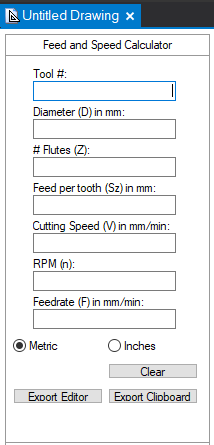
This is the part of the workflow that matters most for operators and toolmakers who are using CNC-Calc for quick floor-level programming. The calculation happens inside the tool they are already using to define the operation, and the result goes directly into the code. No separate calculator, no mental math, no transposing values between applications.
Generated Code Goes Straight into the Edit-Backplot-Send Workflow
Because CNC-Calc exports directly into CIMCO Edit, the generated code immediately benefits from everything the editor already does. The solid backplotter verifies the toolpath in 3D before anything goes to the machine. File Compare can check a revised version against the previous export if parameters were adjusted. The NC-Assistant can insert machine-specific header blocks, tool change codes, and program footers around the CNC-Calc output using macros configured for each control type. The built-in DNC or DNC-Max sends the finished program to the machine.
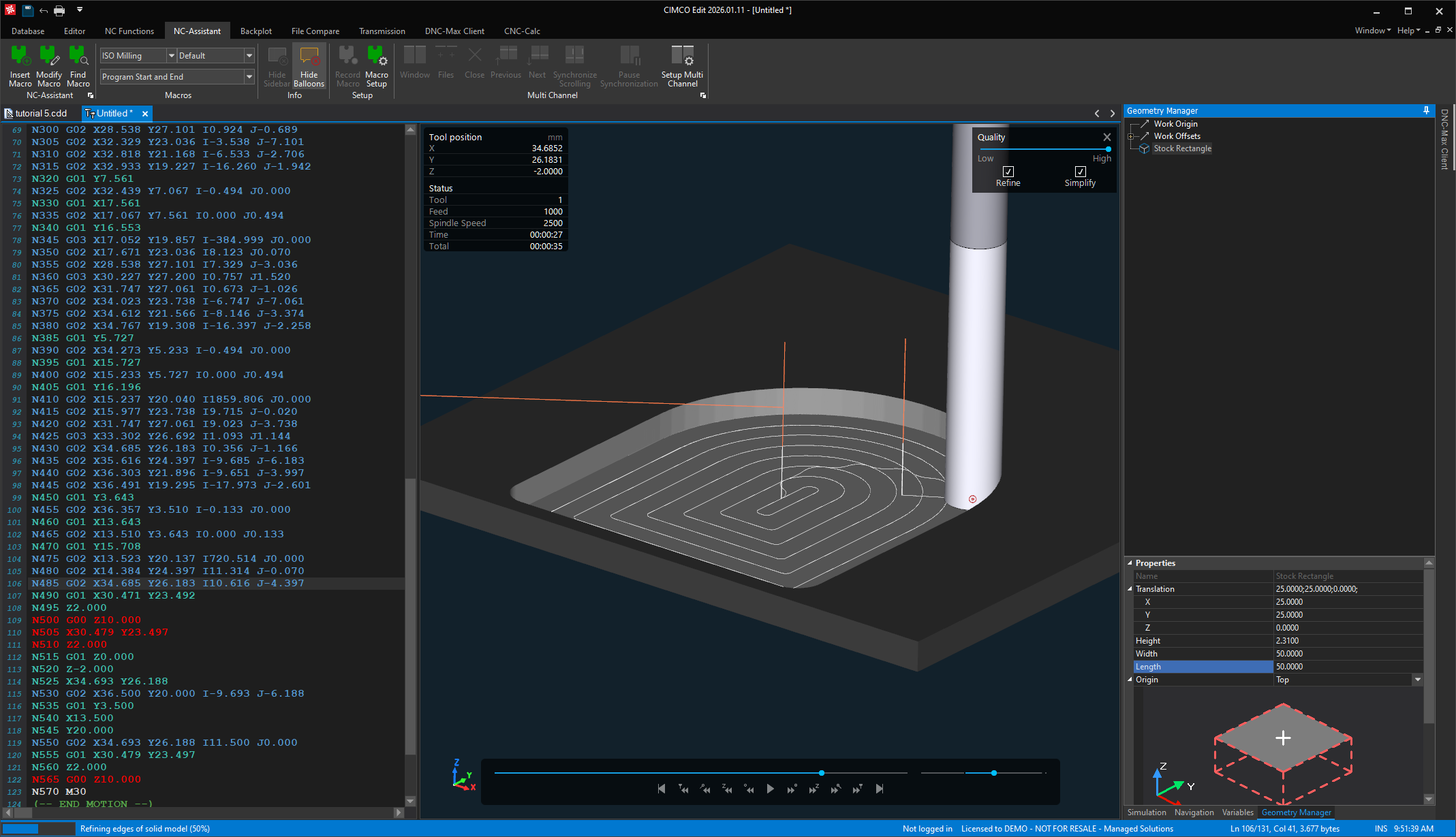
The division of labor between CNC-Calc and the NC-Assistant is worth understanding because it is how complete, machine-ready programs are produced. CNC-Calc generates a geometry-driven toolpath. The NC-Assistant inserts the machine-specific wrapper around it. Together they produce a complete program without either tool needing to handle what the other one does better.
Any CIMCO Edit Workstation Becomes a Light CAM Station
Because CNC-Calc is an add-on to CIMCO Edit rather than a standalone application, it runs on every machine where CIMCO Edit is installed and licensed. A shop floor PC running CIMCO Edit for program viewing and transfer becomes a light CAM station the moment CNC-Calc is added. An operator who spots a geometry problem at the machine can open CNC-Calc on the same PC, adjust the drawing, regenerate the operation, export the corrected code, and backplot it before sending it, all without walking back to the programming office or waiting for a CAM seat to free up.
This is particularly useful in shops where the programming bottleneck is not programming complexity but programming access. CNC-Calc does not require a powerful workstation, a full CAM license, or a programmer. It requires CIMCO Edit and someone who can draw a 2D contour.
When It Makes the Most Sense
CNC-Calc is the right addition to CIMCO Edit for shops where 2D programming tasks are being handled by hand-coding, where the CAM system is not accessible to everyone who needs it, or where operators and toolmakers need a tool that is faster and simpler than a full CAM seat for floor-level work. It is also worth evaluating for any programmer who regularly needs quick 2D operations that take longer to set up in CAM than to draw and generate directly.
For shops whose work extends into 3D geometry, multi-axis machining, or complex surface programming, CNC-Calc is a complement to a full CAM system rather than a replacement for one. The two coexist without conflict: CNC-Calc handles the 2D work that does not justify full CAM overhead, and the CAM system handles everything else.
Have Questions?
Learn more about CIMCO CNC-Calc or contact us to discuss whether it fits your current CIMCO Edit workflow.
