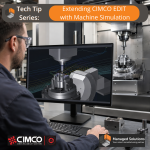
CIMCO Edit ships with a solid backplotter and a GPU-accelerated solid simulation engine. For a lot of shops, that is enough for everyday verification. But there is a category of risk that backplot cannot touch. And if your shop runs complex multi-axis programs, expensive materials, or tight fixtures, you have probably run into this. Backplot operates in a geometric … [Read more...]
Extending CIMCO Edit with DNC-Max
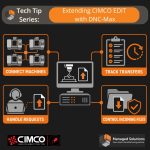
CIMCO Edit includes a built-in DNC module for sending and receiving NC programs over RS-232 serial and FTP connections. For a single machine or a small setup where one programmer handles transfers from one PC, that built-in capability handles the job well. Configure the port, name the machine, and sending a program is a dropdown selection and one click. As the shop grows, … [Read more...]
Extending CIMCO Edit with NC-Base

CIMCO Edit opens, edits, simulates, and sends NC programs. What it does not do is manage them. There is no version history, no access control, no searchable database, no record of which revision went to the floor or when. Programs live wherever the programmer saved them last, usually a shared drive with a folder structure that made sense when the shop had twelve programs … [Read more...]
Extending CIMCO Edit with CNC-Calc
CIMCO Edit edits, simulates, and sends NC programs. What it does not do is generate them from geometry. If a programmer needs to hand-code a pocket, a contour, or a drilling pattern, they are typing coordinates, calculating offsets, and hoping the math is right. If the shop has a CAM seat, it is likely tied to a specific workstation, shared across more people than it has … [Read more...]
Extending CIMCO Edit with the Mazatrol Viewer
CIMCO Edit handles NC programs written in G-code natively. It understands the syntax, colorizes the code, backplots the toolpath, and lets a programmer edit and verify a program without any additional configuration. What it cannot do out of the box is make sense of a Mazatrol file. Mazatrol is Mazak's proprietary conversational programming language, and programs written … [Read more...]
Tech Tip: How to Scale Feedrates in CIMCO Edit – Without CAM

This Tech Tip explains how to scale feedrates in CIMCO Edit without going back to CAM. Adjust Feedrate in CIMCO Edit handles rate changes in seconds. Find it under NC Functions / Transform. Set your percentage, apply minimum and maximum clamps to keep any value from going out of range, and optionally restrict the adjustment to feedrates within a specified range so you are … [Read more...]