 CIMCO Edit handles NC programs written in G-code natively. It understands the syntax, colorizes the code, backplots the toolpath, and lets a programmer edit and verify a program without any additional configuration.
What it cannot do out of the box is make sense of a Mazatrol file.
Mazatrol is Mazak’s proprietary conversational programming language, and programs written in it are stored as binary files, not readable text.
Open a Mazatrol program in a standard text editor and what you get is garbage. Open it in CIMCO Edit without the Mazatrol Viewer, and the result is the same.
The Mazatrol Viewer is the add-on which fixes this.
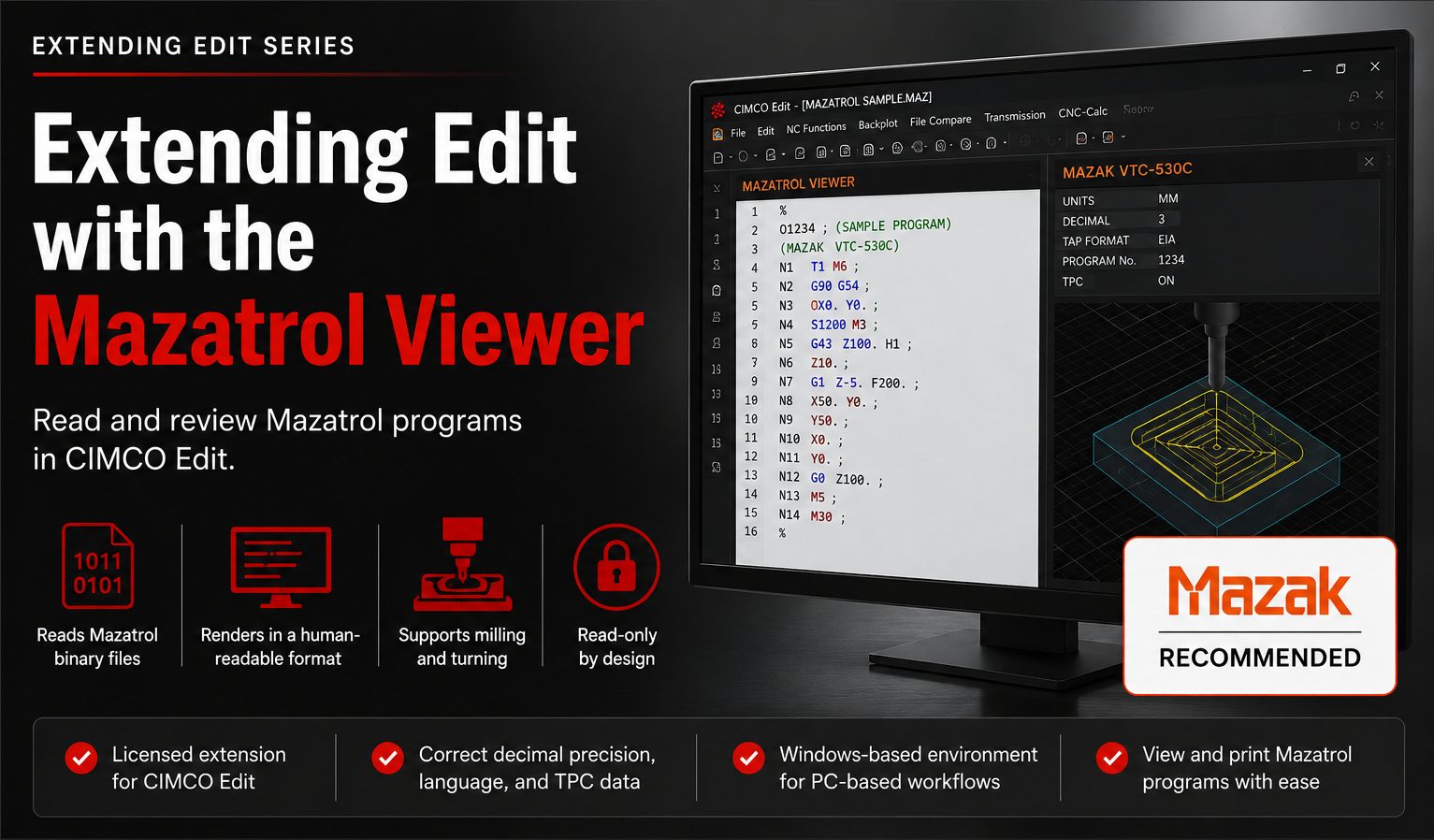
It is a licensed extension for CIMCO Edit that reads Mazatrol binary files and renders them in a human-readable format directly in the editor, covering both milling and turning programs, with the correct decimal precision, language, and TPC data display for the specific Mazak control that produced the file.
It is recommended by Mazak and is designed to give programmers and reviewers a familiar Windows-based environment for working with Mazatrol programs at a PC rather than at the machine control.
The viewer is read-only by design: Mazatrol programs are not editable in CIMCO Edit, but they are viewable and printable, which is often exactly what is needed.
Here is what changes when the Mazatrol Viewer is added to a CIMCO Edit installation.
Mazatrol Binary Files Become Readable
Without the Mazatrol Viewer, a Mazatrol program file is opaque. It cannot be previewed, searched, or reviewed in CIMCO Edit.
The only place a Mazatrol program is readable is on the Mazak control that created it. Which means a programmer who needs to review a program, a quality engineer who needs to confirm what ran on the machine, or a supervisor who needs to understand what a job calls for has to walk to the machine and read it there.
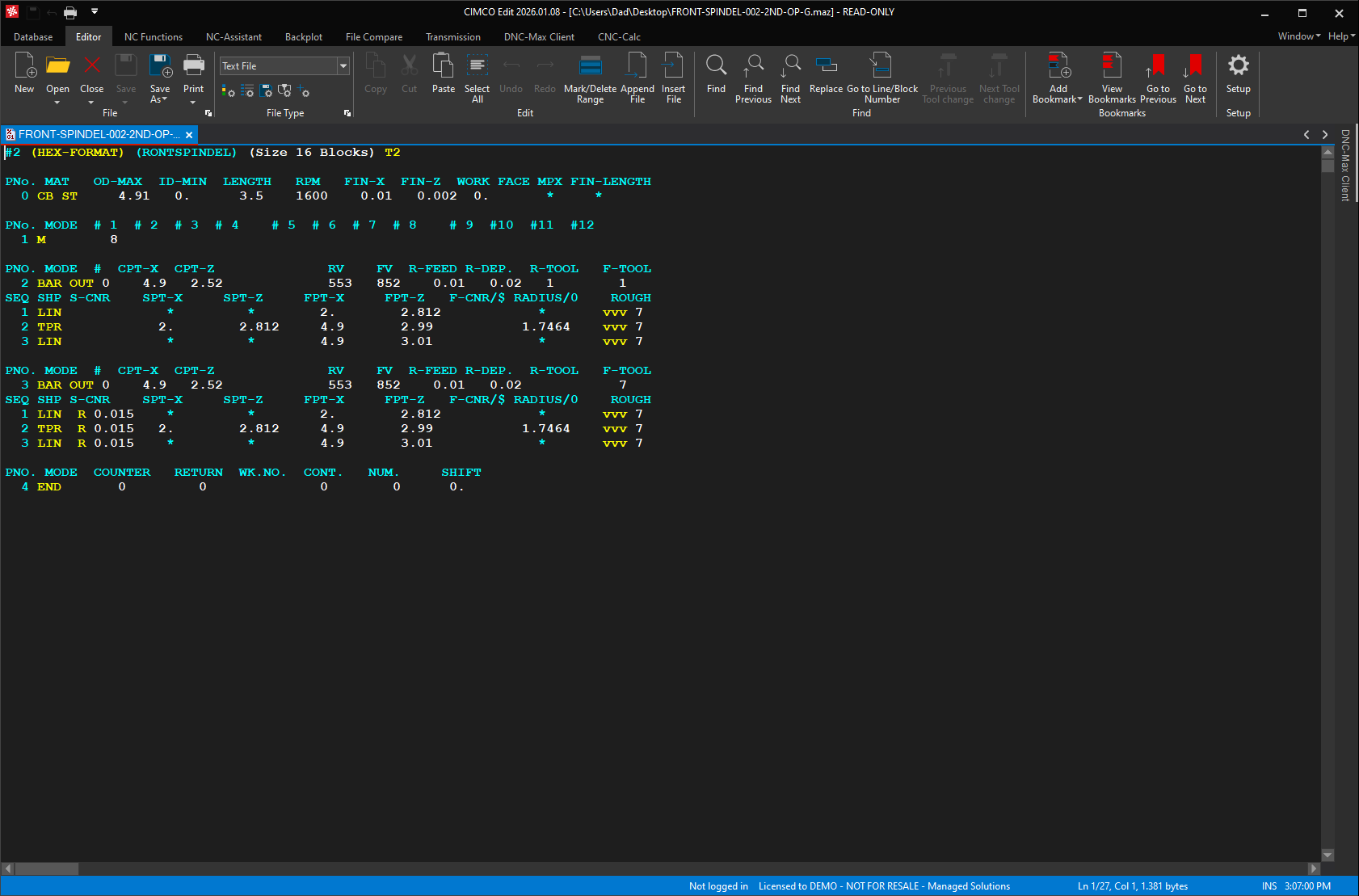
With the Mazatrol Viewer installed, and a file extension associated with the correct Mazak control type in the Viewer configuration, opening a Mazatrol file in CIMCO Edit displays the program in structured, readable form. The operation sequence, the tooling, the geometry, the cutting conditions, all rendered in the conversational format a Mazak programmer recognizes. The binary is translated on the fly. No conversion step, no intermediate file, no separate application.
This is a meaningful change for shops which manage Mazatrol programs alongside G-code programs in a program library. In NC-Base or MDM, a Mazatrol file can be stored, versioned, and retrieved like any other program.
With the Mazatrol Viewer, the preview panel in the NC-Base Explorer or the MDM client actually shows the program content rather than a blank or a stream of unreadable characters. A reviewer can open a queued Mazatrol file from the Import Queue and read it before deciding whether to accept or reject it, without going to the machine.
The Viewer also enables Mazatrol File Compare. So two versions of a Mazatrol program can be diffed side by side in CIMCO Edit the same way any two G-code files can, making revision review and Import Queue decisions meaningfully more informed.
Mazatrol Programs Can Be Printed from the Editor
Mazak controls can print Mazatrol programs from the machine. But, that requires the machine to be available, the printer connected or a network print path configured, and someone to be standing at the control. For shops that include printed program sheets in job traveler packages, or need a paper record of what ran for quality documentation, this workflow is inconvenient at best.
With the Mazatrol Viewer, printing a Mazatrol program is the same operation as printing any NC file in CIMCO Edit. File, print, done. The printed output reflects the same readable format the viewer displays, not binary output.
Programs can be printed from any PC with CIMCO Edit and the Mazatrol Viewer installed, without the machine being involved at all.
File Extension Associations Eliminate the Guesswork
Mazatrol files are notorious in shops for their variety of file extensions. Different Mazak control generations use different extensions: .MAZ, .MBF, .T6M, .M6M, .PBF, .PBD, .PBE, .PBM, and more depending on the machine vintage, the control type, and how the file was saved or transferred.
Without explicit configuration, CIMCO Edit has no way to know which extension belongs to which control type, and a file with an unfamiliar extension may not open correctly.
The Associations configuration in the Mazatrol Viewer setup dialog solves this directly. Each file extension used in the shop can be mapped to the specific Mazak CNC control type that produces it. Once those associations are defined, CIMCO Edit knows how to render any Mazatrol file it encounters, regardless of which control generation it came from.
For shops running multiple Mazak machines of different ages, this mapping is the configuration step which makes the entire library of Mazatrol programs consistently accessible.
Here is an example of a real-world situation that comes up regularly:
A shop has a newer Mazak Smooth Ai alongside an older Mazatrol M-32 control. Programs from both machines live in the same NC-Base database. The two controls produce files with different extensions and different internal formats. Without the extension association configuration, the viewer cannot reliably determine which format applies. With it mapped correctly, opening any program from either machine displays in the right format automatically.
TPC Data is Accessible Alongside the Program
Mazatrol programs on some control types include TPC (Tool Presetter Communication) data which defines the tool geometry parameters used during the job. This data does not appear in the standard program listing but is embedded in the binary file.
For shops that use tool presetters and need to verify or record tool data alongside the program, this information is otherwise only accessible from the machine control itself.
The Mazatrol Viewer’s ‘Show TPC Data’ option includes this data in the viewer display when it is present in the file. Enabling it gives a complete picture of both the program operations and the tool geometry configured for the job, all within CIMCO Edit. No access to the machine or presetter system required.
When it Makes the Most Sense
The Mazatrol Viewer is a targeted add-on for shops which run Mazak machines with Mazatrol conversational programming.
If the shop’s Mazak machines are programmed exclusively in G-code, the standard CIMCO Edit file type configuration for Mazak already handles those files and the Mazatrol Viewer is not needed.
If any machines in the shop use Mazatrol conversational programs, the Viewer closes a gap which has no other workaround in CIMCO Edit. Binary Mazatrol files simply cannot be read without it.
This value compounds in shops which use NC-Base or MDM for program management. A Mazatrol program in a managed database is only as useful as the ability to review its contents.
With the Mazatrol Viewer, Mazatrol programs are first-class citizens in the program library. They are readable in the preview panel, printable for documentation, viewable from the Import Queue, and comparable against prior versions to the extent the binary format allows. Without it, they are opaque entries that have to be reviewed at the machine.
Ready to Find Out More?
Visit our CIMCO Software Solutions page to learn more about CIMCO Edit and its available add-ons.
Or contact us to discuss whether Mazatrol Viewer fits your specific Mazak machine mix and program management workflow.
