CIMCO Edit opens, edits, simulates, and sends NC programs. What it does not do is manage them.
There is no version history, no access control, no searchable database, no record of which revision went to the floor or when.
Programs live wherever the programmer saved them last, usually a shared drive with a folder structure that made sense when the shop had twelve programs and has been gradually breaking down ever since.
NC-Base is the database layer that sits behind CIMCO Edit and gives every program a home with a history, a status, and a set of rules about who can touch it and when.
When NC-Base is connected to CIMCO Edit, the editor gains a set of capabilities that fundamentally change how programs are stored, retrieved, reviewed, and transferred.
Here is what changes when NC-Base is added to a CIMCO Edit installation.
The Editor Gains a Searchable Program Library
With NC-Base connected, the NC-Base Explorer is available directly within CIMCO Edit.
Opening a program is no longer navigating a folder tree hoping the right file is where you think it is. It is a search: by program name, part number, drawing number, machine group, customer, status, date range, or text inside the NC file itself.
On a shop running hundreds of programs across multiple machine types, finding the right program becomes a ten-second operation regardless of how long ago it last ran.
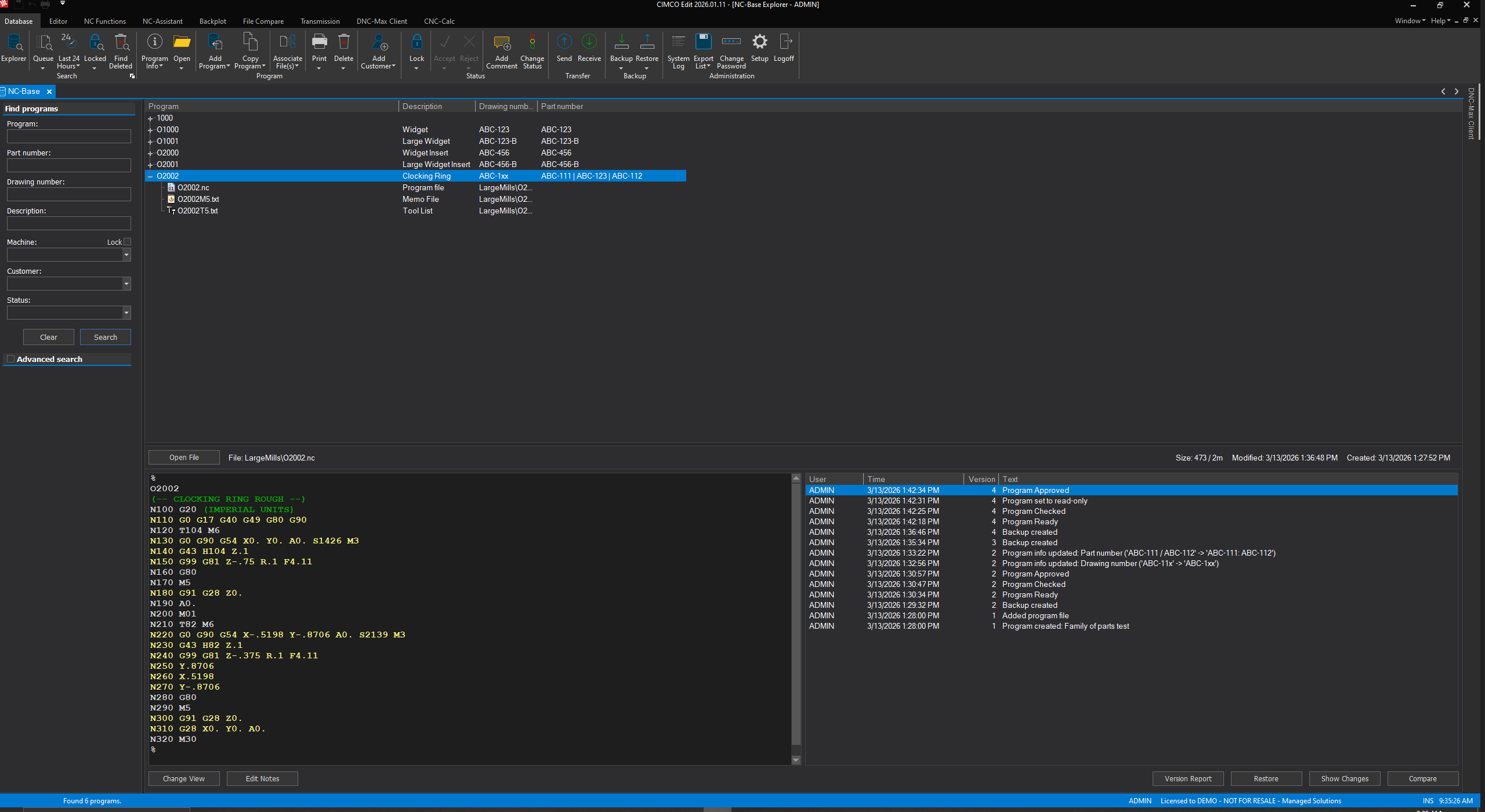
Programs in NC-Base are organized by machine group, so a Fanuc VMC program and an Okuma lathe program are never in the same pool. Users only see programs for the machines they are authorized to work with, which means the right programs are surfaced immediately and the wrong ones are not in the way.
Every Program Gets a Version History
When NC-Base is configured with revision control, every time a program is modified and saved through CIMCO Edit, the previous version is automatically preserved in the database. This history is accessible from the NC-Base Explorer, and any prior version can be restored with a few clicks.
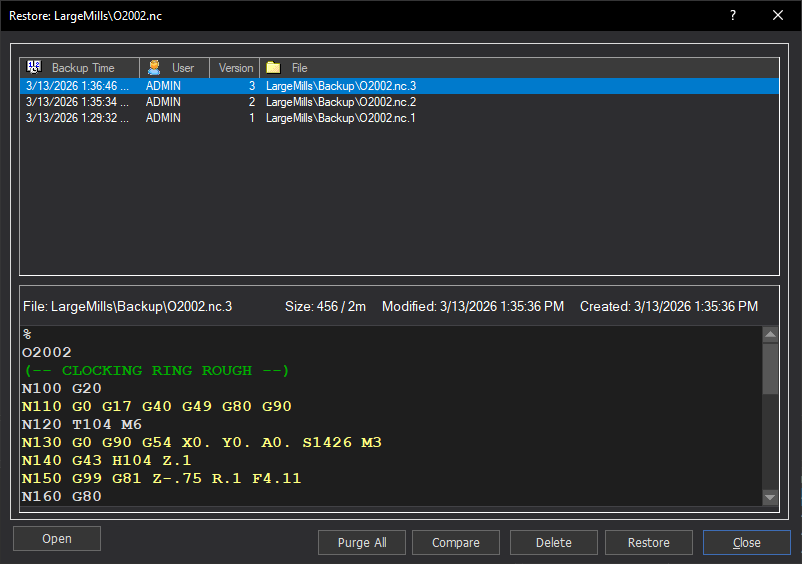
The practical value of this shows up the moment something goes wrong. A dimension comes back out of tolerance. A job that ran clean last month is producing rejects this month.
The first question is always, “What changed in the program?”
With NC-Base’s version history, the answer is a comparison between the current version and any prior one, using CIMCO Edit’s File Compare to highlight exactly what is different. Without NC-Base, the answer is a memory exercise.
Status Control Locks Down What Goes to the Floor
NC-Base’s program status system integrates with CIMCO Edit’s transfer functions to enforce which programs can actually be sent to a machine.
A program which is locked cannot be transferred. A program that is unlocked and approved can be. The locking and unlocking is controlled by user group permissions, so only authorized users can approve a program for transfer.
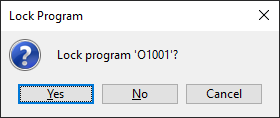
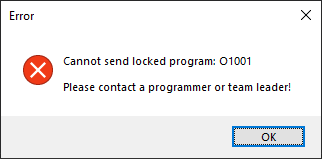
This closes a gap that shared drive management cannot. On a shared drive, anyone with access to the folder can send any version of any file to any machine.
With NC-Base controlling the transfer, the program that reaches the machine is the one which has been reviewed and explicitly approved, and the system maintains a log of every transfer event.
The Import Queue Protects Against Unauthorized Changes
When programs come back from CNC machines through DNC-Max’s auto receive, NC-Base can intercept them on an Import Queue before they overwrite the approved database version. A reviewer can view the incoming file, compare it against the current approved version using File Compare to see exactly what the machine sent back, and either accept or reject it.
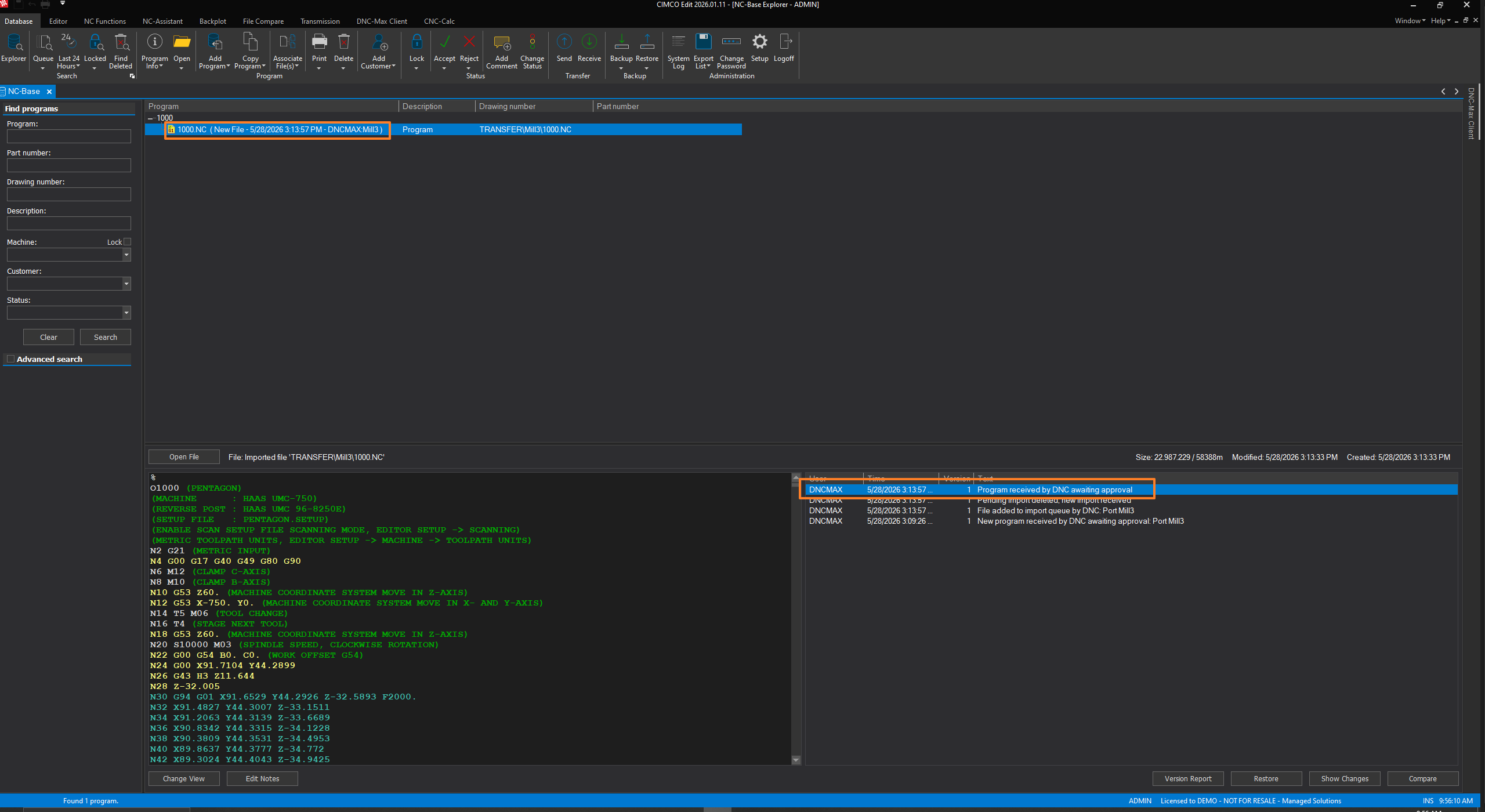
This is the feature that matters most for shops running under any kind of quality certification or documentation requirement. The program that runs on the floor is the approved version. Changes made at the machine control do not silently replace it. Every return from the floor is a reviewable event with a documented outcome.
Associated Files Travel with the Program
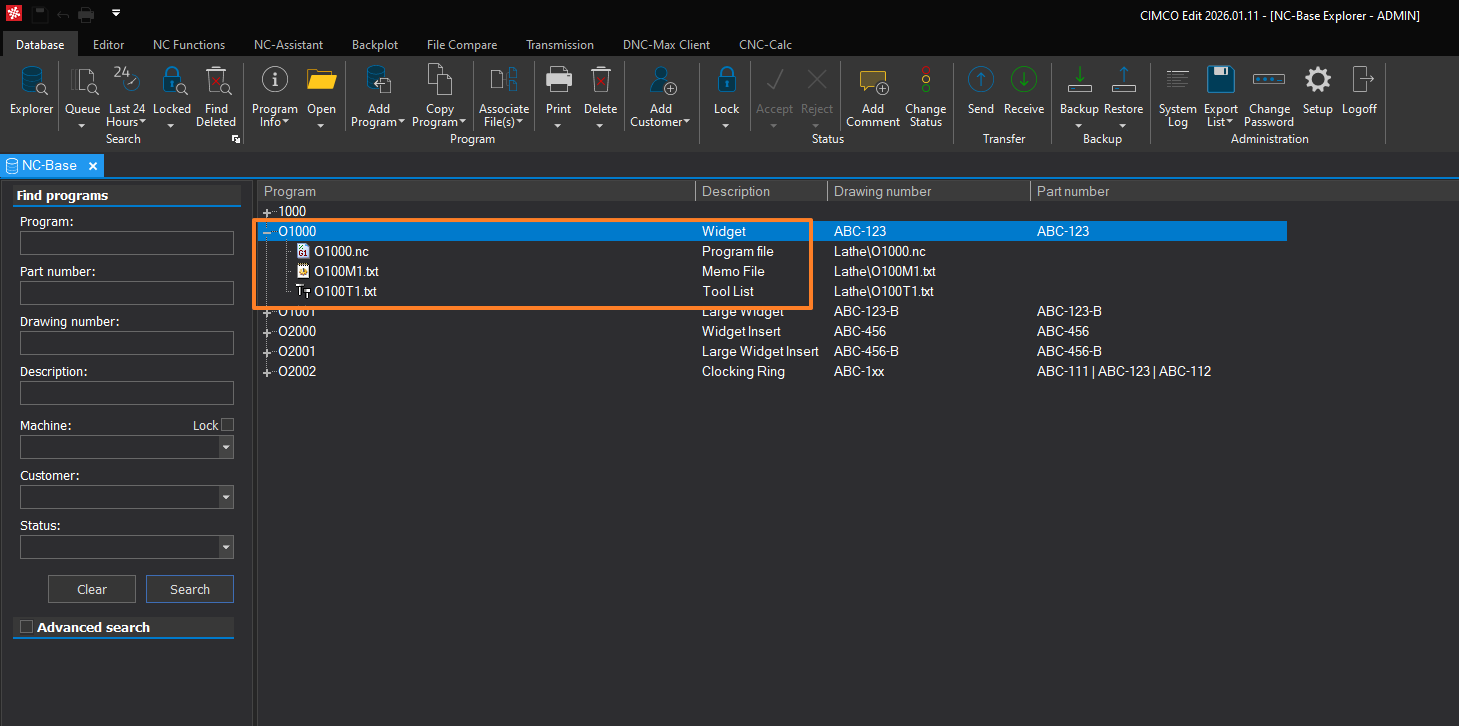
NC-Base stores more than NC files. Every program record in the database can have associated files attached: setup sheets, tool lists, inspection documents, photos of fixturing, drawings. When a programmer opens a job in CIMCO Edit through the NC-Base Explorer, everything associated with that job is accessible from the same place. The operator who needs to set up the machine sees the same record the programmer worked from, with all the supporting documentation attached and current.
When It Makes the Most Sense
NC-Base is the right addition to CIMCO Edit for any shop that:
- has more programs than it can reliably manage by memory and folder structure
- needs a documented review step before programs go to the floor
- has experienced a quality incident traceable to a program version problem
For shops that need an even more structured approval workflow with status-driven access control and deeper document management, CIMCO MDM is the step beyond NC-Base. The two products share a natural upgrade path.
Have Questions?
Learn more about CIMCO NC-Base or contact us to discuss how it fits your current CIMCO Edit setup. We’re here to help make your shop operations run as smoothly and efficiently as possible.
