CIMCO Edit ships with a solid backplotter and a GPU-accelerated solid simulation engine. For a lot of shops, that is enough for everyday verification.
But there is a category of risk that backplot cannot touch. And if your shop runs complex multi-axis programs, expensive materials, or tight fixtures, you have probably run into this.
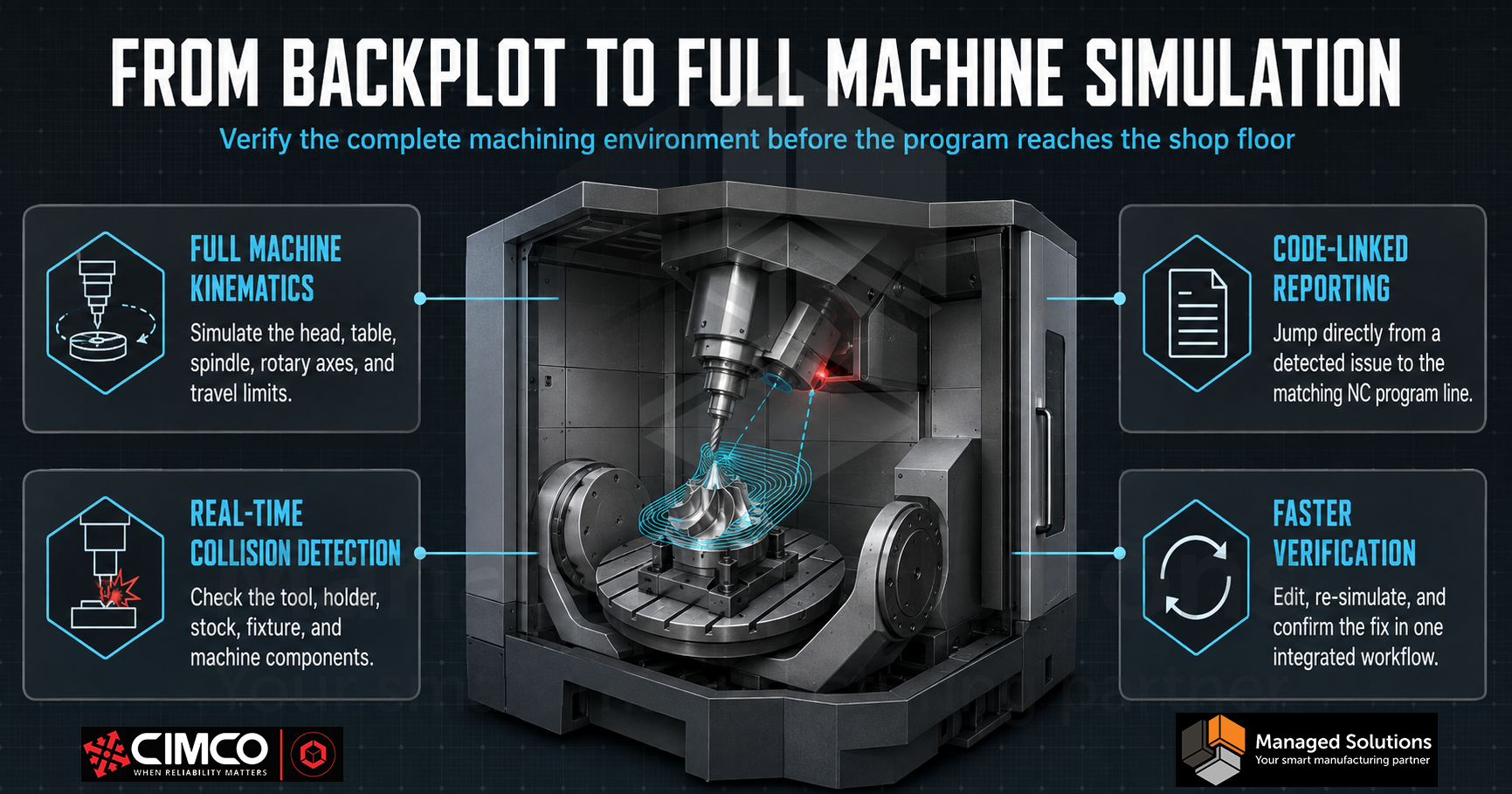
Backplot operates in a geometric vacuum. It shows where the tool tip will move, but it does not account for the machine making those moves. It has no concept of your spindle head sweeping through a clamp during a rotary move, no awareness of your axis travel limits, and no model of your tool holder colliding with a vise jaw on the approach.
CIMCO Machine Simulation closes that gap by running your NC program inside a 3D kinematic model of your actual CNC machine.
Here is what changes when adding Machine Simulation to a CIMCO Edit installation.
Your Editor Becomes a Virtual Machine
When Machine Simulation is licensed and a machine model is installed, the simulation environment in CIMCO Edit gains the full physical context of your machine. The head, table, spindle, and peripheral devices move in the same kinematic relationships as the real iron. Stock material removal is shown in real-time with high or low tolerance options. Tool holders and fixtures are part of the simulation environment, not invisible abstractions.
Collision detection runs automatically between any combination of tool, holder, workpiece, stock, fixture, and machine components. Any axis that exceeds its travel limit is highlighted in red immediately. This is not a post-simulation report. It happens in real-time as the simulation plays so you see exactly where and when a problem occurs and the cause.
The Simulation Report Connects Directly to Your Code
When a collision, out-of-limit move, or error is detected, it is captured in the Simulation Report with a timestamp and a description. Clicking any entry in the report jumps the editor directly to the corresponding line in your NC program. Fix the code in CIMCO Edit, and the Simulation Report updates to confirm the problem is resolved. The iteration loop between writing code and verifying it is entirely within the same application.
This is the workflow advantage which matters most day-to-day. Simulation is not a separate step that requires exporting, opening a different application, and importing results back. It is integrated into the editor. Fix a line, re-simulate, verify, move on. This cycle happens in minutes.
Machine Models Download Directly from the Editor
Adding a machine model to Machine Simulation does not require a separate installation or a file from CIMCO support. Pre-configured machine models from vendors including Haas can be downloaded and installed directly from within CIMCO Edit through the Machine Models section in the Editor Setup. If the machine is not in the downloadable library, the Machine Configuration Editor allows a custom machine to be built. Alternatively, CIMCO can build a custom .MacBundle file from machine specifications that installs everything correctly with no manual configuration.
Once you install a machine model, switching between machines for a program that might run on multiple configurations is a dropdown selection. Re-simulating on a different machine geometry takes seconds and surfaces any issues specific to that machine’s travel limits or head configuration before the program ever leaves the office.
The Presentation Viewer: Simulation Without a License
Machine Simulation includes a Presentation Viewer which lets you export a complete simulation and share as a standalone file, viewable without a CIMCO Edit license. The exported simulation captures the full 3D environment, including material removal, tool motion, machine axis movement, and NC program panel, with the same playback controls and inspection tools as the live simulation.
This is useful for sharing a proof with a customer before cutting, sending verification to a quality engineer without a CIMCO Edit seat, or archiving the simulation alongside the setup sheet and tool list for a completed job.
When it Makes the Most Sense
Machine Simulation earns its place most clearly in three situations:
- Multi-axis programs where machine kinematics create collision risk that backplot cannot model
- First-article runs on expensive materials where a crash has serious cost consequences
- Shops needing to shift a program from one machine to another and verify the new machine geometry before the transfer
For 3-axis work on machines without complex fixturing or tight travel constraints, the solid backplotter built into CIMCO Edit handles the job well. Machine Simulation is the next level of verification for the programs where getting it wrong is not an option.
Learn more about CIMCO Machine Simulation by checking out our product page. If you have questions or want to discuss whether is fits your current setup, please contact us.
