CIMCO Edit ships with a solid backplotter and a GPU-accelerated solid simulation engine. For a lot of shops, that is enough for everyday verification. But there is a category of risk that backplot cannot touch. And if your shop runs complex multi-axis programs, expensive materials, or tight fixtures, you have probably run into this. Backplot operates in a geometric … [Read more...]
Using CIMCO Machine Simulation to Validate Legacy CNC Programs
Many shops still rely on CNC programs that were written years, or even decades ago. These legacy CNC programs may have run successfully on older equipment, but problems can arise when those same programs are moved to newer machines. Differences in machine kinematics, tool setups, travel limits, or work offsets can introduce unexpected issues. Running an old program on a … [Read more...]
Introduction to CIMCO Machine Simulation
For CNC shops, a mistake discovered on the machine is a mistake which has already cost you something - whether that's a scrapped part, a damaged tool, a broken fixture, or worse. CIMCO Machine Simulation is designed to move that discovery to your PC, before any material is touched or any machine is at risk. This post provides an overview of what CIMCO Machine Simulation is, … [Read more...]
How About Machine Simulation in an NC Editor
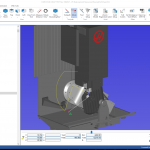
If you've ever done any CAM programming you will probably find this familiar. The post processor you spent money, time and a few caffeine fueled evenings trying to perfect produced some odd code and created a real problem for you in your complex CNC machine. For years CIMCO Editor users have spent a few minutes validating their post processed g-code using backplot. It looks a … [Read more...]
Machine Simulation Coming Soon to CIMCO Editor
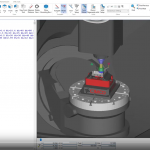
CNC machines are becoming more capable paving the way for fewer operations as well as more efficient machining methods. This is often exacerbated by the difficulty producing a quality post processor for these machines. As a result there has become a growing need to perform more validation to ensure that the moving parts are not colliding and causing costly downtime and damage. … [Read more...]