
This Tech Tip explains how to configure CIMCO MDM Remote Request to identify the correct file and let DNC-Max handle reliable delivery to the CNC machine. CIMCO MDM's Remote Request can work two ways. It can identify the file and deliver it directly, or it can identify the file and hand delivery off to a DNC-Max port. That second option is configured in the Machine field … [Read more...]
Tech Tip: Use CIMCO DNC-Max to Prevent Upload and Remote Request Conflicts
This Tech Tip explains how to keep uploads and requests from stepping on each other using CIMCO DNC-Max. When Auto Receive and Remote Request are both active on the same serial port, DNC-Max is receiving programs from two directions for two different reasons. Without a way to tell them apart, a request program sent by the operator to trigger a file transfer looks … [Read more...]
Extending CIMCO Edit with DNC-Max
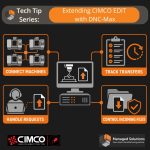
CIMCO Edit includes a built-in DNC module for sending and receiving NC programs over RS-232 serial and FTP connections. For a single machine or a small setup where one programmer handles transfers from one PC, that built-in capability handles the job well. Configure the port, name the machine, and sending a program is a dropdown selection and one click. As the shop grows, … [Read more...]
Tech Tip: Test Your CIMCO DNC-Max Auto Receive Trigger
This Tech Tip explains how to test your CIMCO DNC-Max Auto Receive trigger before it costs you a transfer. The most common Auto Receive failure is a trigger mismatch. DNC-Max is listening, the machine sends the program name, and nothing happens because the trigger format does not match what the control actually transmitted. By the time someone figures out why the transfer … [Read more...]
Understanding the Import Queue in CIMCO NC-Base and CIMCO MDM
If you have ever had a machinist edit a program at the machine control and send it back without anyone in the programming department knowing about it, you already understand why the Import Queue exists. It is the feature that closes the loop on one of the most common quality gaps in CNC shops: programs leaving the database approved, getting modified on the floor, and coming … [Read more...]
What is CIMCO DNC-Max? A Smarter Way to Manage CNC Communication
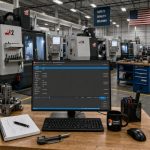
In today’s manufacturing environment, efficiency on the shop floor often comes down to how well your machines communicate. Moving CNC programs quickly, reliably, and securely is no longer a “nice to have.” It is essential. That’s where CIMCO DNC-Max comes in. CIMCO DNC-Max is a powerful DNC communication software designed to manage and control the transfer of CNC programs … [Read more...]