CIMCO Edit includes a built-in DNC module for sending and receiving NC programs over RS-232 serial and FTP connections.
For a single machine or a small setup where one programmer handles transfers from one PC, that built-in capability handles the job well. Configure the port, name the machine, and sending a program is a dropdown selection and one click.
As the shop grows, the built-in DNC module will begin to show its limits. A second building. A night shift. Operators who need to request programs from the machine control without calling the programming department. Auto receive workflows that need to route programs back into a managed database rather than a folder on a shared drive. Notification when a machine has been sitting on an alarm for 20 minutes. Transfer logging that ties program history to machine events. You get the idea.
This is where DNC-Max comes in.
DNC-Max is not a replacement for CIMCO Edit. It is a server-based communication platform which runs in the background as a Windows service, handling machine communication at a scale and with a level of control the built-in DNC module was never designed to provide.
When DNC-Max is connected to CIMCO Edit, and optionally to NC-Base or MDM, the editor becomes the front end of a fully managed program transfer infrastructure.
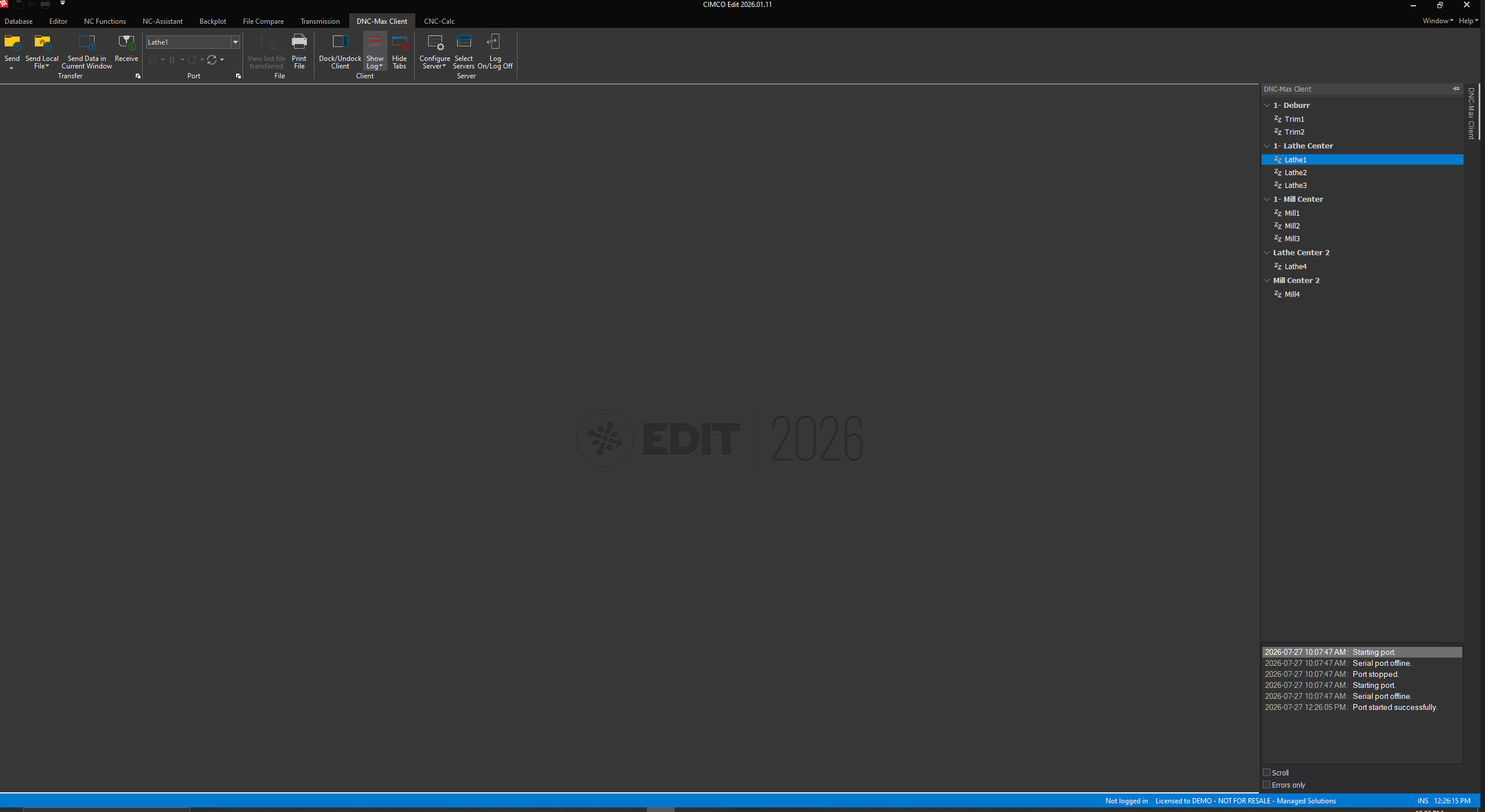
Now, let’s talk about what changes when DNC-Max is added to a CIMCO Edit installation.
Every Machine Gets Its Own Managed Connection
In the built-in DNC module, machine configurations are local to the CIMCO Edit installation on that PC.
DNC-Max runs as a Windows service and manages connections to every machine in the shop from a central server. Every machine is a port in DNC-Max with its own independent configuration: protocol, baud rate, directory assignments, auto receive settings, transfer logging, and event triggers.
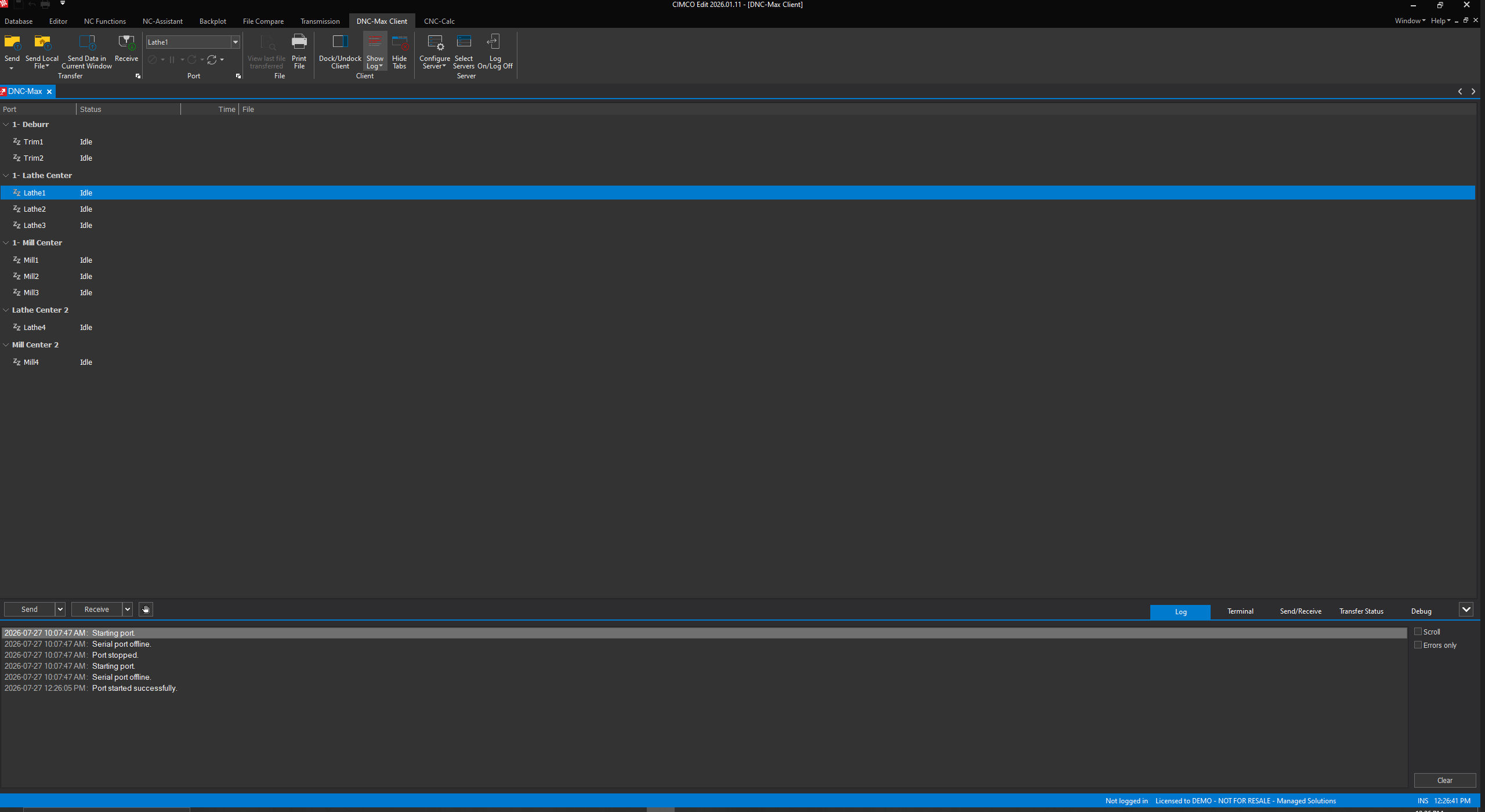
Adding a new machine is adding a port to DNC-Max. Removing one is deleting it. The rest of the shop keeps running. A new PC on the floor connects to the same DNC-Max server and sees all configured machines immediately, without any local configuration required.
Transfers Are Logged Automatically
The built-in DNC module in CIMCO Edit does not maintain a persistent log of what was sent, when it was sent, and whether it succeeded.
DNC-Max logs every transfer event on every port, continuously, to a searchable server log. Every send, every receive, every error, every operator message is timestamped and stored.
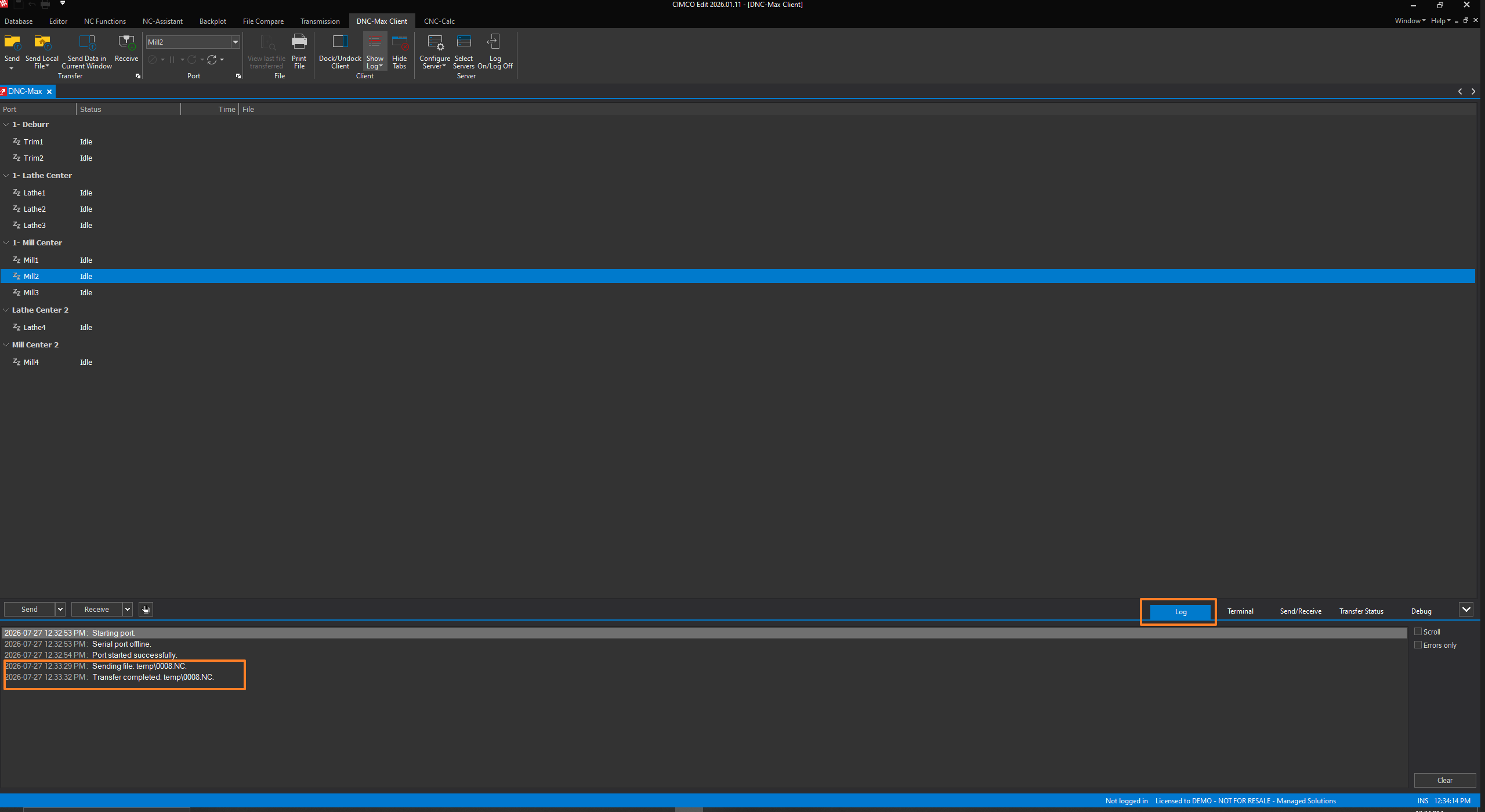
When the question is what program was last sent to Machine 6 and when, the DNC-Max log provides the answer in seconds. The log export feature can write this history to Excel, Access, or any ODBC-compatible database in real time, making it available to external reporting tools or ERP systems without any manual export step.
Operators Can Request Programs from the Machine Control
Remote request is the feature which eliminates the most common transfer workflow friction in shops with a DNC infrastructure: the machine operator who needs a program and has to wait for someone in the office to send it.
With DNC-Max’s remote request configured, an operator sends a short request from the machine control, typically a specific program number or filename, and DNC-Max responds automatically by sending the correct file back to the machine. No phone call, no waiting, no risk of the wrong version being sent because the office programmer was in a hurry. The directory listing feature extends this further: an operator can request a list of available programs from the machine and select from it, all from the control panel.
Programs Received from Machines Are Controlled
The built-in DNC module receives programs and saves them to a configured directory. What happens to them after that is manual: someone has to move the file, rename it, compare it to the approved version, and decide what to do with it.
DNC-Max’s auto receive workflow, especially when connected to NC-Base or MDM, handles all of that automatically.
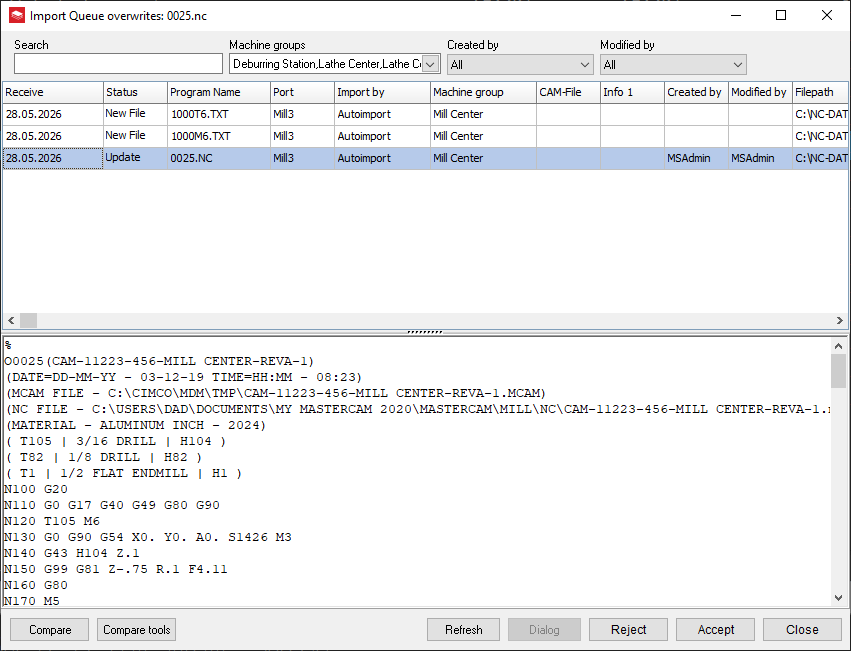
Received files can be placed on an Import Queue, where an authorized reviewer sees what came back from the machine, compares it to the approved database version using CIMCO Edit’s File Compare, and either accepts or rejects it before anything is overwritten.
Accepted programs move into the database with a logged record of the receipt event. Rejected programs are documented. Nothing silently replaces an approved version.
Machine Events Can Trigger Notifications
DNC-Max’s messaging and event system can read DPRNT outputs from machine controls, extract values from those outputs using configurable patterns, and use them to trigger email or SMS notifications.
A machine which has been sitting in an alarm state for longer than a defined threshold can send an email to the maintenance lead automatically. A completed job can trigger a notification to the supervisor. A received program can trigger a review notification to the programmer assigned to that machine group.
This is the layer of operational awareness that the built-in DNC module cannot provide. CIMCO Edit handles the program. DNC-Max handles the communication, the logging, the routing, and the operational context around it.
When DNC-Max Makes the Most Sense
The built-in DNC in CIMCO Edit is the right tool for small, simple setups where one person manages transfers from one machine or a small group.
DNC-Max makes sense the moment any of these conditions apply:
- multiple machines
- more than one person is initiating transfers
- there is a need for transfer logging
- auto receive workflows need to route back into a managed database
- operators need to request programs from the floor without involving the programming department
The upgrade path from CIMCO Edit’s built-in DNC to DNC-Max does not require replacing anything already in place. DNC-Max sits alongside CIMCO Edit and takes over the communication layer while the editor continues to be where programs are written, edited, and verified.
Have Questions?
Learn more about CIMCO DNC-Max or contact us to talk through what a DNC-Max installation looks like for your machine mix. We’re here to help make your shop operations run as smoothly and efficiently as possible.
